Many REST APIs require files such as PDFs, images, documents, or other binary content to be sent as Base64-encoded strings within a JSON or XML request body instead of uploading them as multipart form data.
To simplify this process, ZappySys ODBC PowerPack provides the built-in FUN_FILE_BASE64ENC placeholder function. It automatically reads a local file, converts its contents to a Base64 string, and inserts the encoded value into your request during query execution.
This eliminates the need for custom scripts or application code, making it easy to integrate with APIs directly from any ODBC-compatible application.
Why Use FUN_FILE_BASE64ENC?
Without this function, your application typically needs to:
- Read the file from disk
- Convert the binary data to Base64
- Build the JSON or XML payload
- Handle escaping and formatting
- Send the API request
With FUN_FILE_BASE64ENC, all of these steps are handled automatically by the ODBC driver.
Simply reference the local file using a placeholder, and the driver performs the encoding before sending the request.
Common Use Cases
FUN_FILE_BASE64ENC is useful when working with APIs that expect Base64-encoded file content, including:
- Uploading PDF invoices
- Sending images to OCR or AI services
- Uploading documents to SharePoint or Microsoft Graph
- Creating CRM or Help Desk attachments
- Sending email attachments through REST APIs
- Embedding files inside JSON or XML payloads
- Uploading documents to cloud storage services
- Integrating with custom enterprise APIs
Prerequisites
Before using this function, ensure you have:
- ZappySys ODBC PowerPack installed
- A configured ODBC Driver (API, JSON, XML, CSV, etc.)
- A local file accessible from the machine running the query
- An ODBC-compatible application such as: Power BI, Microsoft Excel, SQL Server Linked Server, Python (
pyodbc), C#, Java, Microsoft Access, Crystal Reports, SSRS, any application supporting ODBC
Syntax
Use the following placeholder syntax:
<<FilePath,FUN_FILE_BASE64ENC>>
Example:
<<C:\Temp\Invoice.pdf,FUN_FILE_BASE64ENC>>
When the query executes, the placeholder is replaced with the Base64-encoded contents of the specified file.
How It Works
When your SQL query is executed, the driver performs the following steps automatically:
- Reads the specified local file.
- Converts the file contents into a Base64 string.
- Replaces the placeholder with the encoded value.
- Sends the completed request to the target API.
No additional coding or external libraries are required.
Example: POST File Content to a REST API
By placing FUN_FILE_BASE64ENC directly inside the request BODY property of your SQL query, your code remains clean and easy to maintain.
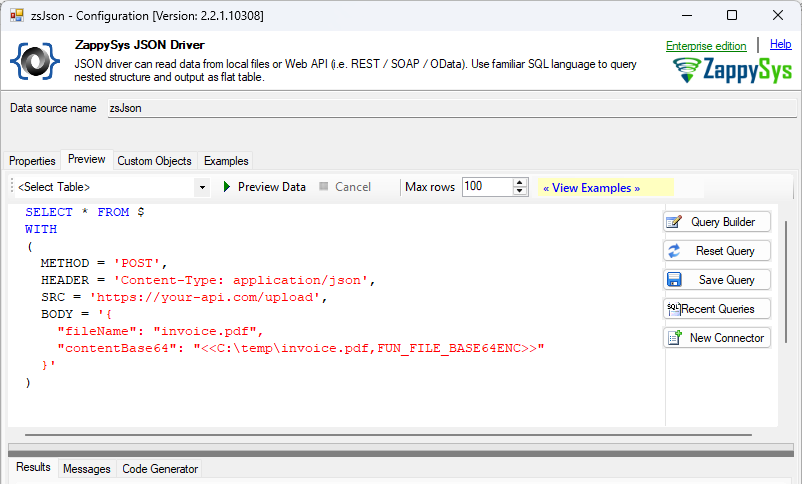
1. JSON Body Payload (Most Common)
Suppose an API expects the following JSON payload:
{
    "fileName": "Invoice.pdf",
    "content": "JVBERi0xLjQK..."
}
Instead of manually generating the Base64 string, use the placeholder directly in your SQL query.
SELECT * FROM $
WITH
(
  METHOD = 'POST',
  HEADER = 'Content-Type: application/json',
  SRC = 'https://your-api.com/upload',
  BODY = '{
    "fileName": "invoice.pdf",
    "contentBase64": "<<C:\temp\invoice.pdf,FUN_FILE_BASE64ENC>>"
  }'
)
During execution, the driver replaces:
<<C:\temp\Invoice.pdf,FUN_FILE_BASE64ENC>>
with the actual Base64 representation of the file.
The API receives a complete JSON request without requiring any custom code.
2. XML Body Payload
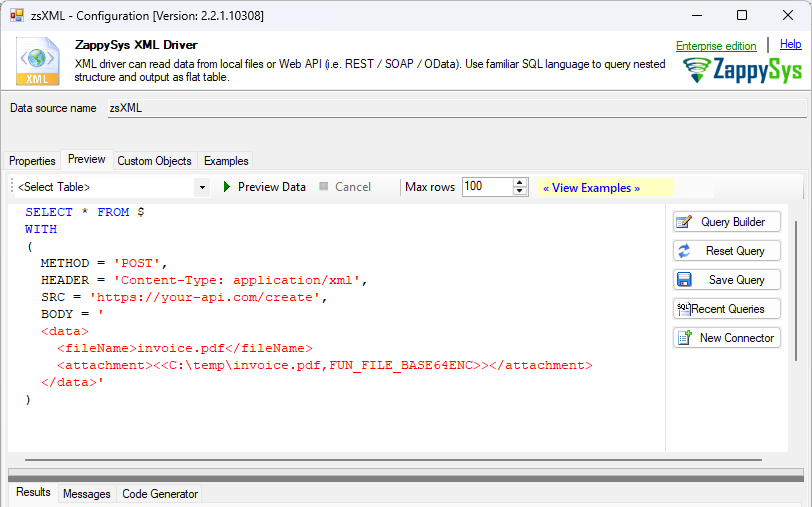
Some SOAP and XML-based APIs require binary data to be embedded as Base64.
SELECT * FROM $
WITH
(
  METHOD = 'POST',
  HEADER = 'Content-Type: application/xml',
  SRC = 'https://your-api.com/create',
  BODY = '
  <data>
    <fileName>invoice.pdf</fileName>
    <attachment><<C:\temp\invoice.pdf,FUN_FILE_BASE64ENC>></attachment>
  </data>'
)
The file is automatically encoded before the XML request is sent.
Adding Data URI Prefixes (MIME Types)
Many modern APIs require the Base64 string to be prefixed with a Data URI scheme (e.g., data:image/png;base64,) so the server knows the exact file type. You can easily concatenate this prefix directly in your JSON or XML body alongside the placeholder:
{
  "fileData": "data:application/pdf;base64,<<C:\temp\invoice.pdf,FUN_FILE_BASE64ENC>>"
}
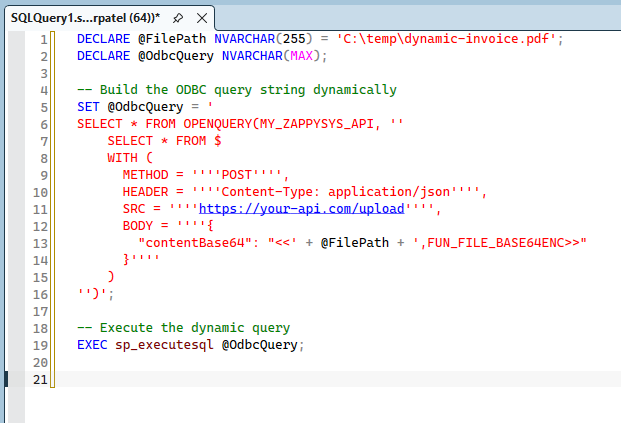
Passing Dynamic File Paths via SQL Server Linked Server
In real-world scenarios, you rarely hardcode file paths. When executing ZappySys ODBC queries through a SQL Server Linked Server, you can use standard T-SQL Dynamic SQL to inject different file paths into your ODBC query at runtime.
DECLARE @FilePath NVARCHAR(255) = 'C:\temp\dynamic-invoice.pdf';
DECLARE @OdbcQuery NVARCHAR(MAX);

-- Build the ODBC query string dynamically
SET @OdbcQuery = '
SELECT * FROM OPENQUERY(MY_ZAPPYSYS_API, ''
    SELECT * FROM $
    WITH (
      METHOD = ''''POST'''',
      HEADER = ''''Content-Type: application/json'''',
      SRC = ''''https://your-api.com/upload'''',
      BODY = ''''{
        "contentBase64": "<<' + @FilePath + ',FUN_FILE_BASE64ENC>>"
      }''''
    )
'')';

-- Execute the dynamic query
EXEC sp_executesql @OdbcQuery;
Writing Base64 Strings to a Local File (Using CSV Driver)
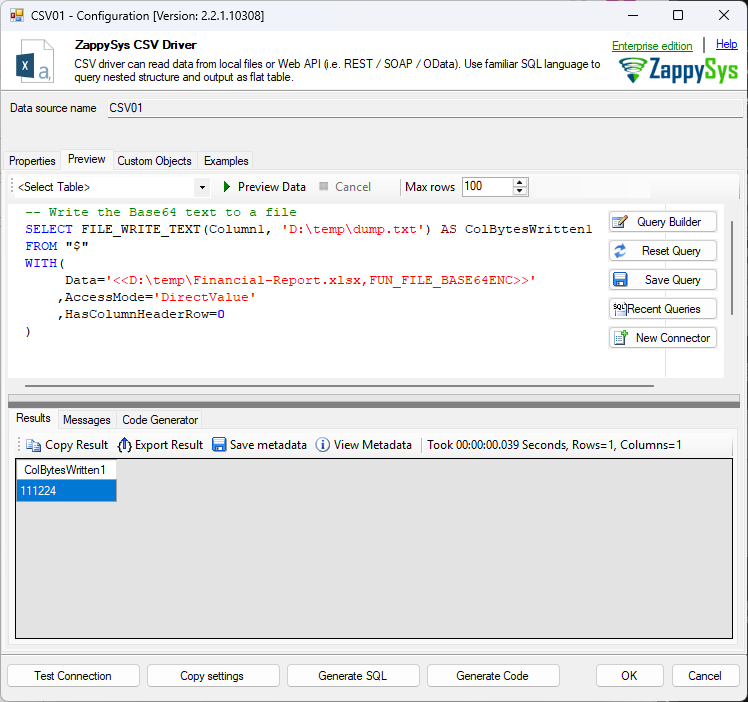
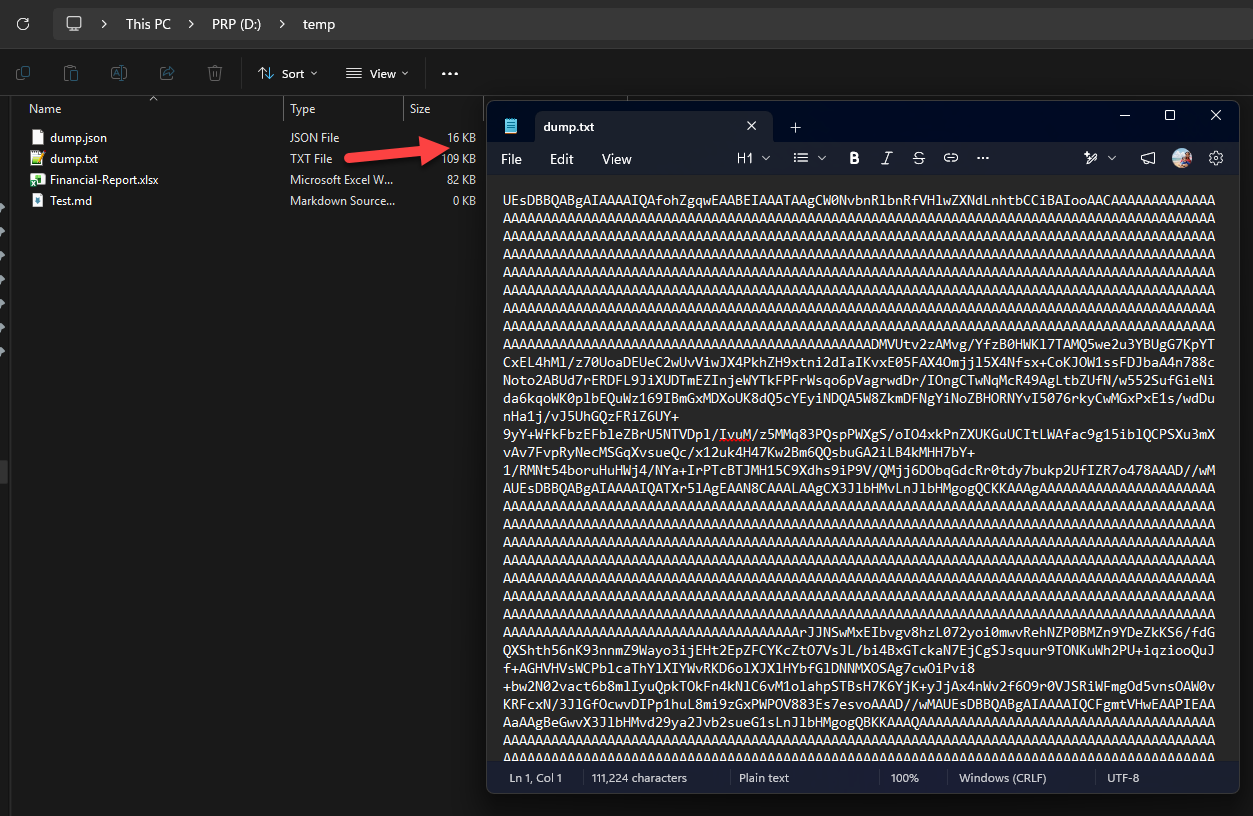
While you will typically send Base64 data directly to an API, there are scenarios where you might need to generate the Base64 string and save it to a local text file—perhaps for logging, debugging, archiving payloads, or preparing data for an offline process.
You can achieve this effortlessly using the ZappySys CSV Driver (or XML/JSON drivers) combined with the FILE_WRITE_TEXT function. This approach reads a local binary file (like an Excel report), encodes it, and immediately dumps the encoded string into a destination text file.
-- Write the Base64 text to a file
SELECT FILE_WRITE_TEXT(Column1, 'D:\temp\dump.txt') AS ColBytesWritten1
FROM "$"
WITH(
     Data='<<D:\temp\Financial-Report.xlsx,FUN_FILE_BASE64ENC>>'
    ,AccessMode='DirectValue'
    ,HasColumnHeaderRow=0
)
How it works:
Data='...': TheFUN_FILE_BASE64ENCplaceholder reads the local binary file (e.g.,Financial-Report.xlsx) and converts its content into a Base64 string.AccessMode='DirectValue': This instructs the CSV Driver to treat the injected Base64 string as direct inline data, outputting it into a default column namedColumn1.HasColumnHeaderRow=0: Ensures that no unwanted header rows are added, keeping your output strictly to the raw Base64 string.FILE_WRITE_TEXT(...): This function captures the Base64 string fromColumn1and writes it directly to the specified destination path (C:\temp\dump.txt). The query returns the number of bytes successfully written.
Supported File Types
FUN_FILE_BASE64ENC works with any file because it operates on raw binary data.
Examples include:
- PNG
- JPG
- GIF
- TIFF
- DOCX
- XLSX
- CSV
- XML
- JSON
- TXT
- ZIP
- Binary files
- Audio and video files
- and others
Note: Basically, no file type restrictions apply.
Benefits
Using FUN_FILE_BASE64ENC provides several advantages:
- No custom Base64 conversion code required
- Works directly inside SQL queries
- Supports any file type
- Automatically reads and encodes files during execution
- Compatible with REST and SOAP APIs
- Works from any ODBC-compatible application
- Simplifies API integrations and automation
Best Practices
For reliable execution, consider the following recommendations:
- Use absolute file paths whenever possible.
- Verify that the specified file exists before running the query.
- Ensure the application has permission to read the file.
- Keep API request size limits in mind, as Base64 encoding increases the payload size by approximately 33%.
- Follow the API documentation to determine whether it expects raw Base64 content or additional formatting.
Troubleshooting
File Not Found
If the query cannot locate the file:
- Verify the file path is correct.
- Ensure the file exists.
- Confirm the application is running on the same machine where the file is located.
Access Denied
If the driver cannot read the file:
- Verify the account running the application has permission to access the file.
- Check folder security settings.
- Ensure the file is not locked by another process.
API Rejects the Request
If the API returns an error:
- Verify the JSON or XML structure.
- Confirm the API expects Base64-encoded content.
- Ensure the
Content-Typeheader is correct. - Review the API documentation for any size or formatting requirements.
Large File Uploads
Remember that Base64 encoding increases the file size by approximately one-third. If you’re uploading large files, ensure the target API supports the resulting request size.
Works with Any ODBC Application
Because the encoding is performed by the ZappySys ODBC Driver, the same query can be executed from virtually any ODBC-enabled application without modification.
Examples include:
- Power BI
- Microsoft Excel
- SQL Server Linked Server
- Microsoft Access
- Python (
pyodbc) - C#
- Java
- Crystal Reports
- SSRS
- Informatica
- Talend
- Any application capable of executing ODBC SQL queries
No additional programming libraries are required.
Summary
The FUN_FILE_BASE64ENC placeholder function provides a simple and efficient way to convert local files into Base64 directly within your SQL queries.
Whether you’re uploading PDF documents, images, Office files, or other binary content, ZappySys ODBC PowerPack automatically reads the file, performs the Base64 encoding, and inserts the encoded value into your request at runtime.
By eliminating the need for custom scripts or application code, FUN_FILE_BASE64ENC simplifies REST API integrations and helps you build reliable, maintainable data integration solutions using standard ODBC tools.