If you are using Data Gateway, you may need to enable logging for troubleshooting purposes. Log will tell you:
- Licensing info (how many CALs you have, etc.)
- Connection info (what machine connected to it, what IP it used, etc.).
- SQL queries used
- Other little technical beasts
Here is how you do it:
Enabling service-level logging
-
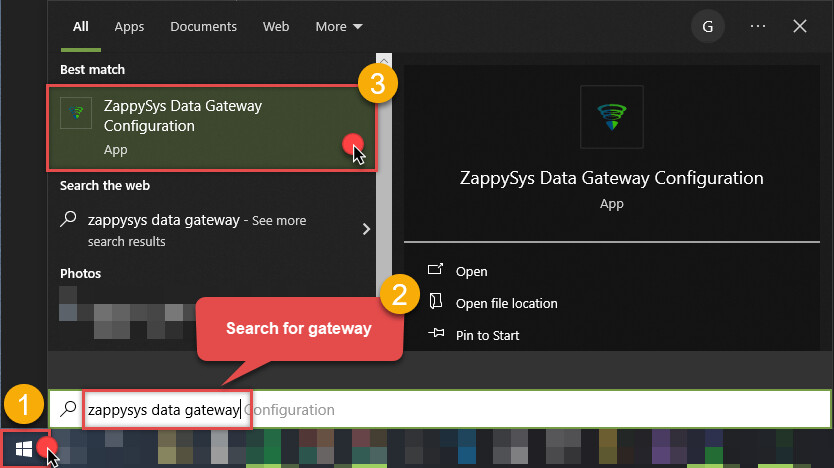
Search for “zappysys data gateway” in Windows Start menu and open ZappySys Data Gateway Configuration:
-
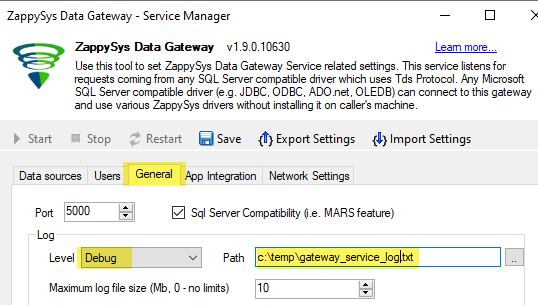
Go to the tab General and change Log Level to a desired value. Use
Debugto get service low-level messages (basically to get all the messages). You can choose another option for higher-level information, if you don’t need the technical aspect in your log: