This article explains how to integrate IFS Cloud REST / OData APIs using ZappySys PowerPack tools.
The guide is intentionally split into two parts:
-
Part 1 – ODBC: Recommended for reporting, ad-hoc queries, and multi-tool access
-
Part 2 – SSIS: Recommended for ETL, data sync, and upsert scenarios
This structure makes it easier to choose the right approach based on your use case.
Overview
IFS Cloud exposes data via REST APIs and OData projections, secured using OAuth 2.0 (OpenID Connect).
Key points:
-
IFS Cloud does not support Basic Authentication
-
OAuth 2.0 Client Credentials flow is required
-
Access is controlled via IAM Clients, Service Users, and Permission Sets
ZappySys PowerPack supports OAuth and OData natively, allowing IFS Cloud APIs to be consumed without custom code.
Prerequisites
Before you begin, ensure you have:
-
Access to IFS Cloud Solution Manager / Admin portal
-
Permission to create or view IAM Clients
-
ZappySys ODBC PowerPack and/or SSIS PowerPack installed
-
IFS Cloud environment details (DEV / UAT / PROD)
Example environment used in this article:
IFS Base URL: https://interprimo-uat.ifs.cloud
Realm: primuat1
Authentication Summary (IFS Cloud)
IFS Cloud authentication is handled using OAuth 2.0.
You will need:
-
IAM Client ID
-
Client Secret
-
Service User linked to the IAM Client
-
Permission Set granting access to required projections and company
Missing permissions will result in 403 – Forbidden, even if token generation succeeds.
Calling IFS Cloud APIs using ODBC PowerPack
This approach is recommended when you want to expose IFS Cloud APIs as relational tables that can be consumed by many applications.
1. Get OAuth Credentials from the IFS Admin Portal
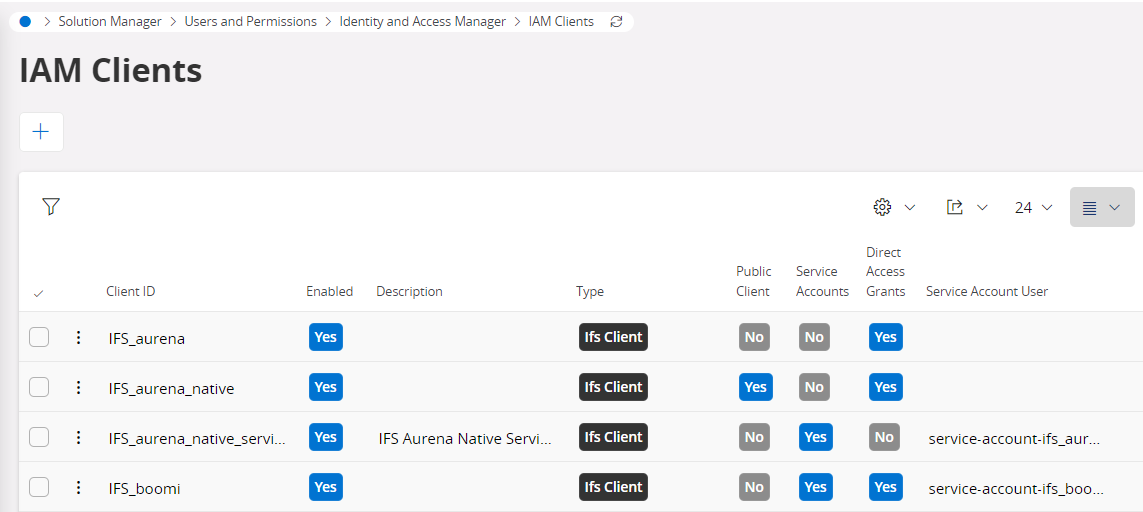
1.1 Create or Verify IAM Client
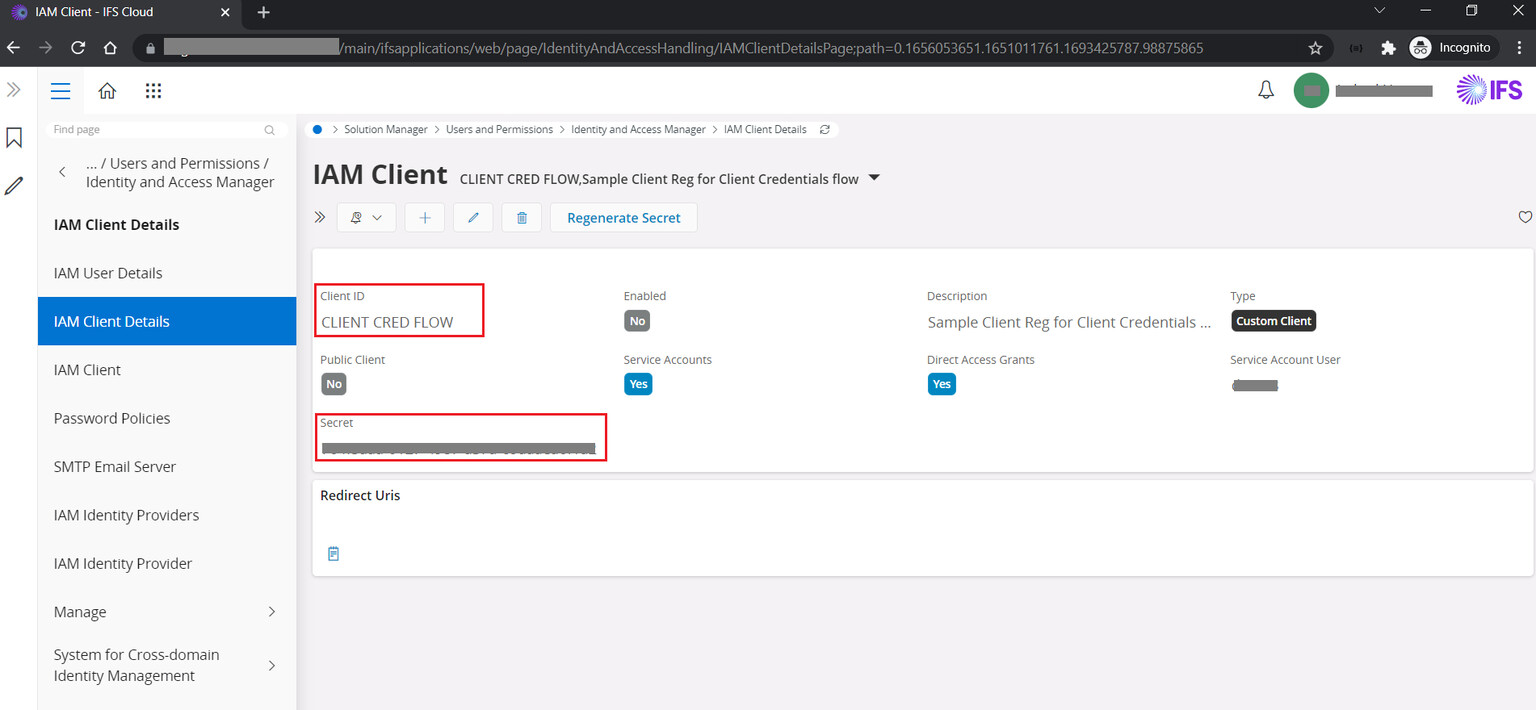
Grant Type: Client Credentials
- Client Type: Confidential
- Grant Type: Client Credentials
- Service Account: Enabled
Make a note of:
- Client ID
- Client Secret
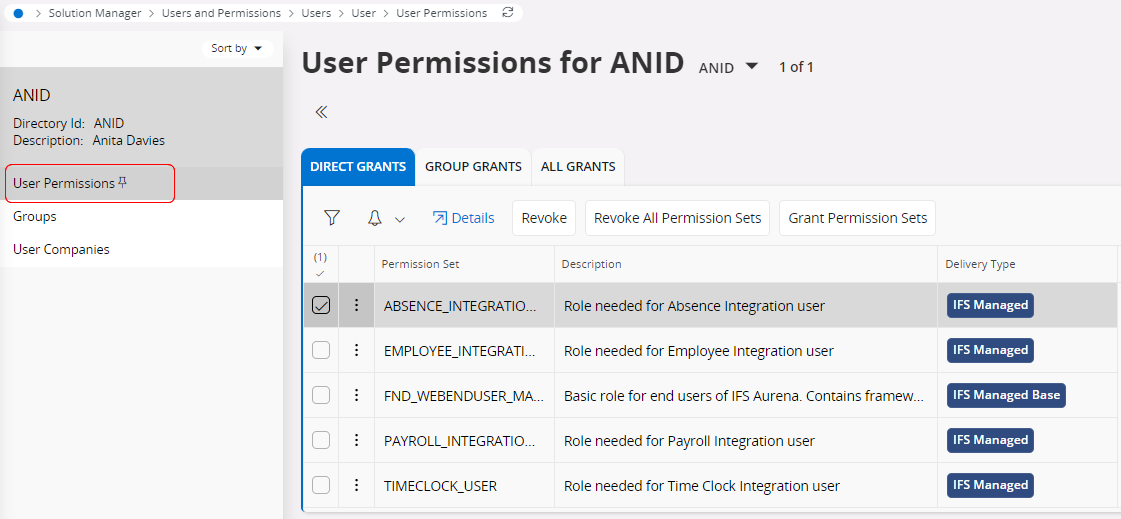
1.2 Verify Service User and Permissions
-
Ensure the IAM Client is linked to a Service User
-
Assign a Permission Set that includes:
-
Projection access (e.g.
Customer– Read) -
Company access
-
Configure ZappySys ODBC DSN
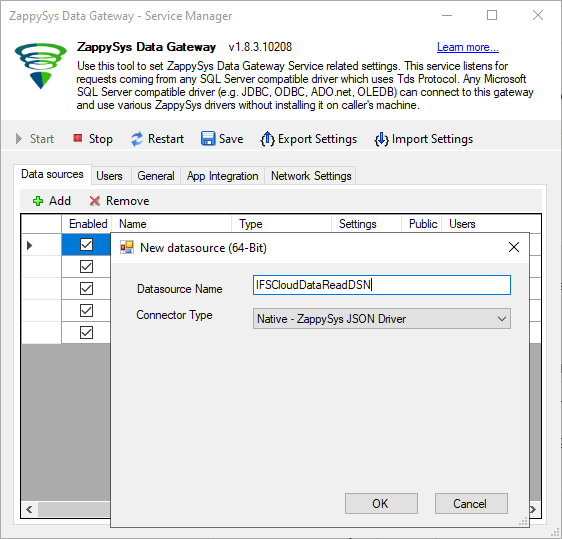
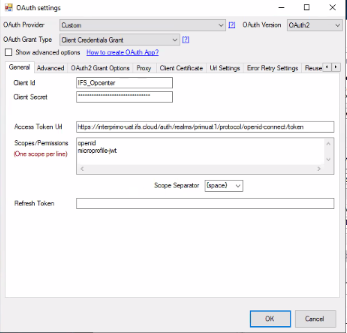
2.1 OAuth Settings
Configure OAuth using Client Credentials:
Token URL:
https://interprimo-uat.ifs.cloud/auth/realms/primuat1/protocol/openid-connect/token
Scope:
openid microprofile-jwt
Enter Client ID and Client Secret, then click Test Connection.
2.2 OData Endpoint Settings
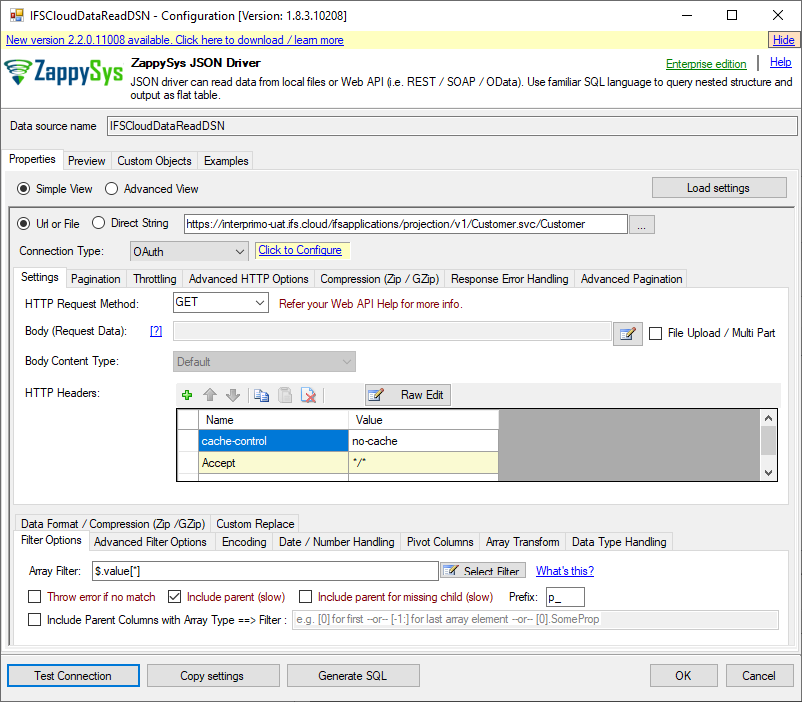
Set Base URL:
https://interprimo-uat.ifs.cloud/ifsapplications/projection/v1/
Example resource:
Customer.svc/Customer
Optional OData options:
-
$top -
$filter -
$select
2.3 Preview and Validate Data
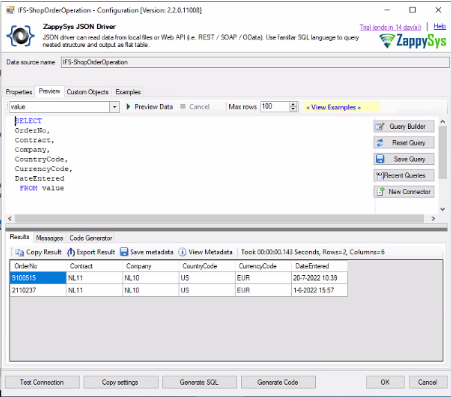
Use Preview / Metadata to confirm:
-
Token generation works
-
Permissions are correct
-
Data is returned successfully
Using ODBC from Other Applications
Once the DSN is created, it can be reused across multiple tools.
3.1 SQL Server (Linked Server)
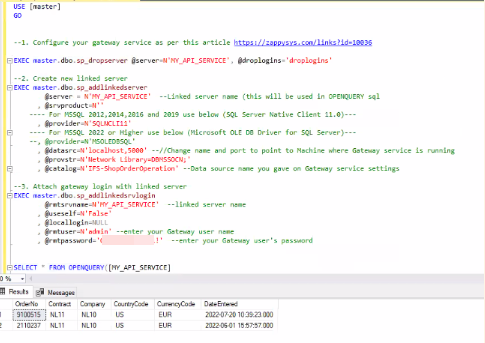
Example query:
SELECT *
FROM OPENQUERY(IFS_ODBC, '
SELECT *
FROM "Customer.svc/Customer"
WHERE CustomerId = ''1000''
');
3.2 Other Supported Applications
The same ODBC DSN can be used from:
-
Power BI
-
Excel
-
.NET applications
-
Python (pyodbc)
-
Java
-
Any ODBC-compliant BI or reporting tool
Calling IFS Cloud APIs using SSIS PowerPack
Use this approach when you need ETL-style integration rather than ad-hoc access.
Typical SSIS Pattern
-
OAuth Connection Manager
-
Client Credentials flow
-
Uses the same IAM Client ID and Secret
-
-
JSON Source
-
Calls IFS Cloud REST / OData endpoints
-
Supports filters and pagination
-
-
Upsert Destination
- Inserts or updates data in SQL Server based on business keys
This pattern is ideal for scheduled loads, incremental syncs, and production ETL pipelines.
Summary
-
ODBC PowerPack is best for reporting, querying, and multi-tool access
-
SSIS PowerPack is best for controlled ETL and data synchronization
-
Both approaches use the same IFS Cloud OAuth configuration
This flexibility allows you to integrate IFS Cloud securely while choosing the tool that best fits your scenario.
Related Links
-
OAuth Authentication (ZappySys) OAuth Connection for OData API authentication - OData Connector | Docs
-
Connect to OData using ODBC: How to connect To OData in ODBC
-
SQL Server Linked Server examples linked server Archives | ZappySys Blog
-
ZappySys Community https://community.zappysys.com/