Introduction
This article demonstrates how to connect to Parquet files using SSIS and ODBC. By leveraging the Parquet (DuckDB) Connector, which is part of the ZappySys ODBC PowerPack, you can seamlessly query Parquet data and integrate it into your SSIS packages.
Prerequisites
- Download and install the ZappySys ODBC PowerPack.
Steps
Creating a new ODBC Driver
-
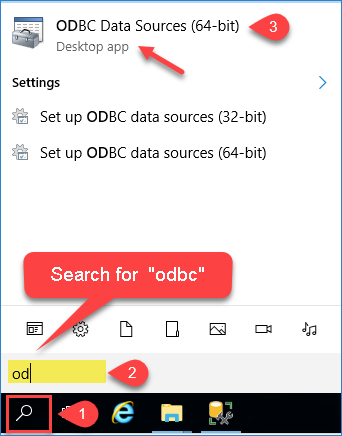
Open ODBC Data Sources by typing “ODBC” in the Windows search box and launching ODBC Data Sources (64-bit).
-
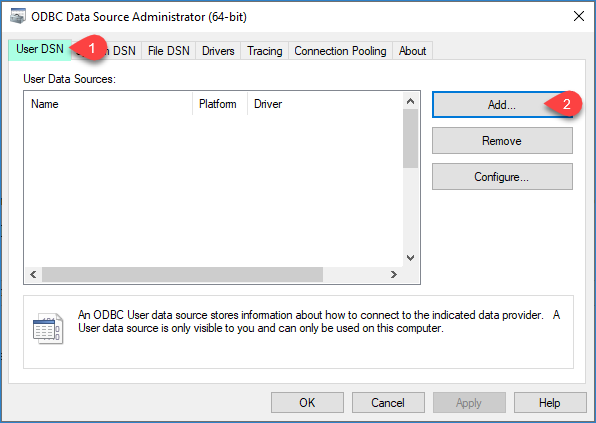
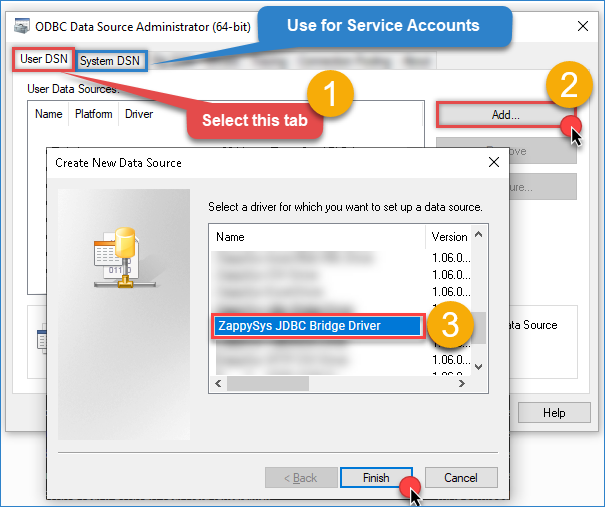
To allow access for SSIS, go to System DSN (recommended for SQL Server Integration Services) and click Add.
-
From the driver list, select ZappySys JDBC Bridge Driver, then click Continue.
Configuring the DuckDB (Parquet) Connector
-
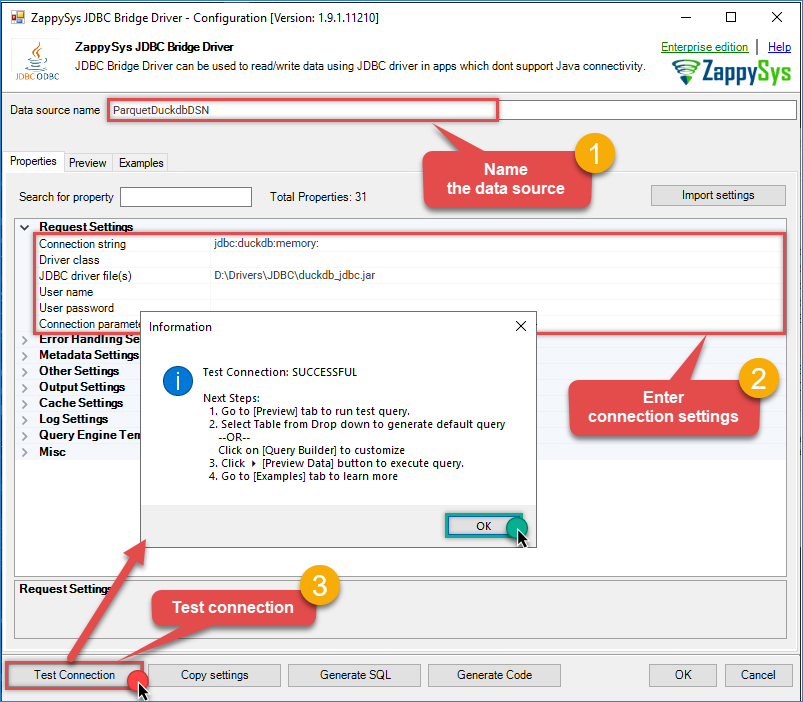
Enter the connection settings and configure the required parameters.
-
Use the following values:
- Connection string:
jdbc:duckdb:memory: - JDBC driver file(s):
D:\Drivers\JDBC\duckdb_jdbc.jar
- Connection string:
-
Click Test Connection to validate the configuration.
-
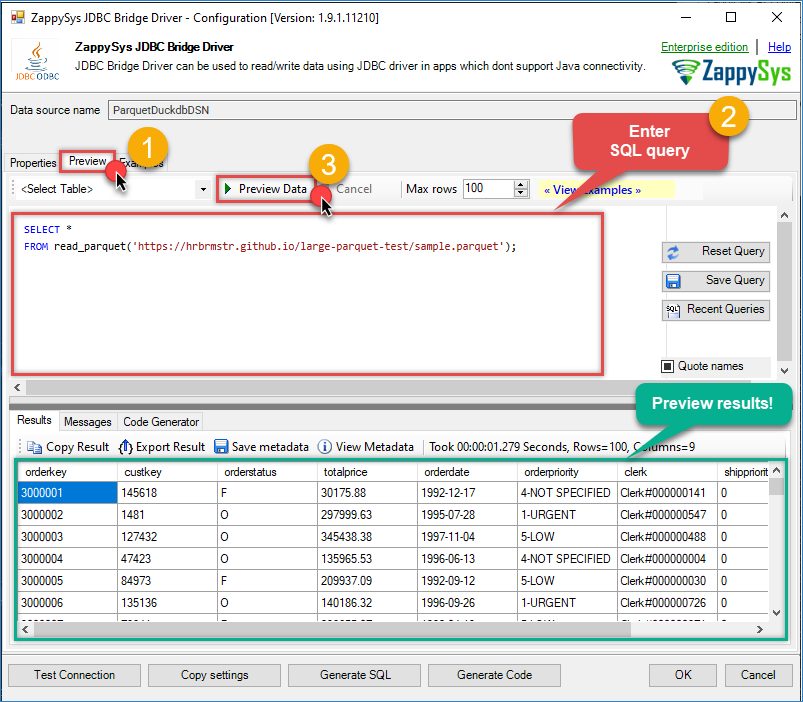
Go to the Preview tab and run a sample query to confirm access to the Parquet file. For more SQL examples, see the JDBC Bridge documentation.
SELECT *
FROM read_parquet('https://hrbrmstr.github.io/large-parquet-test/sample.parquet');
- Verify that data is returned successfully, then click OK to save the configuration.
Reading Parquet (DuckDB) Data in SSIS
-
Open Visual Studio and create a new Integration Services Project, or open an existing one.
-
Set the project name and location, then click OK.
-
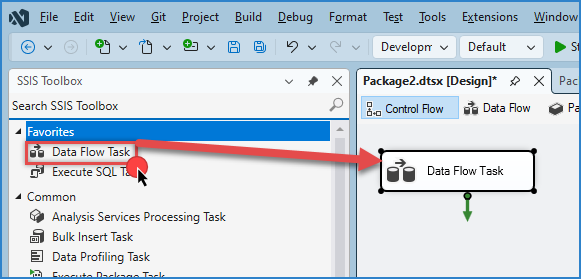
Drag and drop a Data Flow Task from the SSIS Toolbox onto the Control Flow surface and double-click it.
-
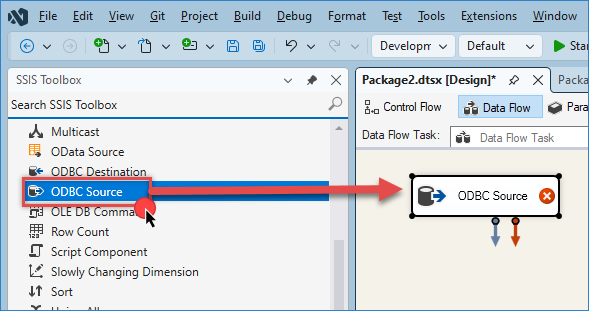
Inside the Data Flow, drag and drop an ODBC Source component.
-
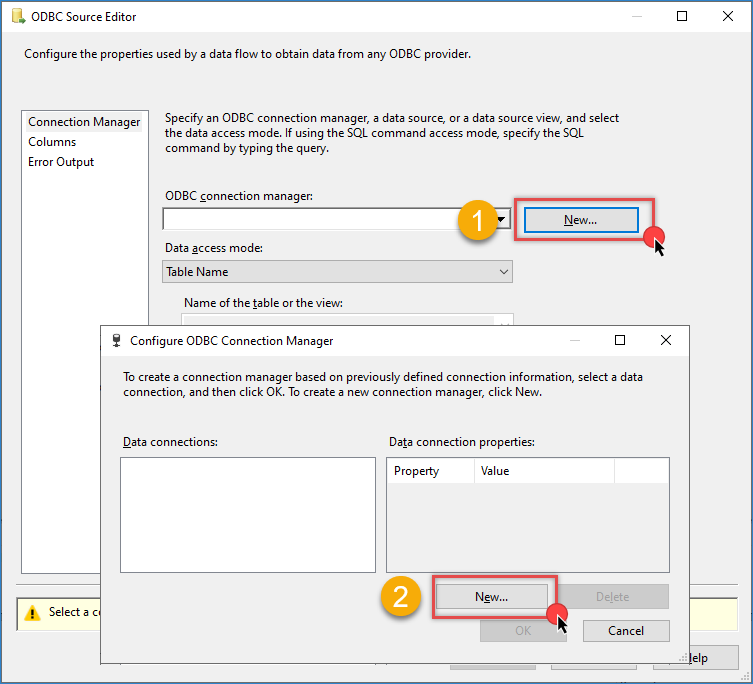
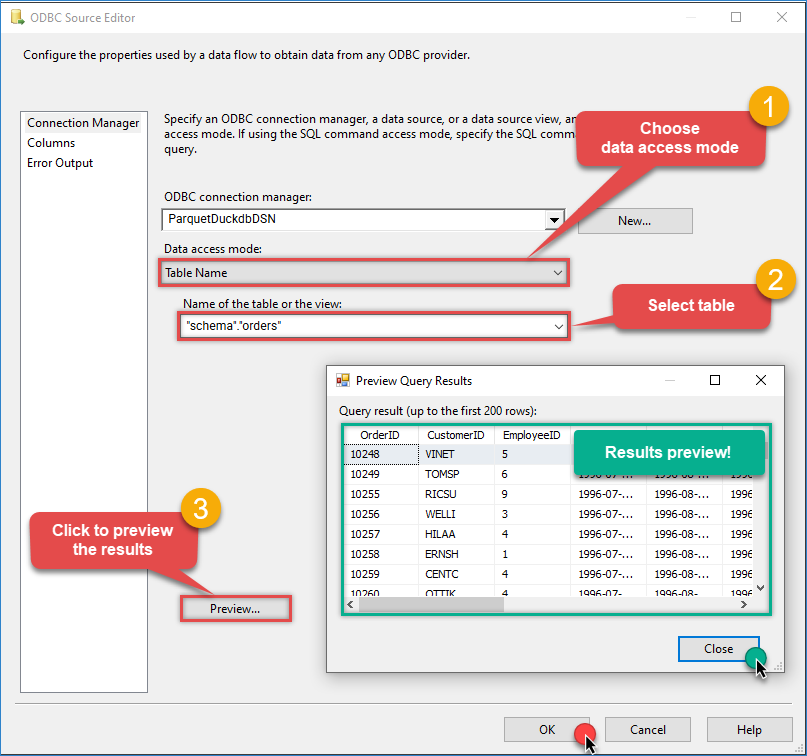
Double-click the ODBC Source to configure it.
-
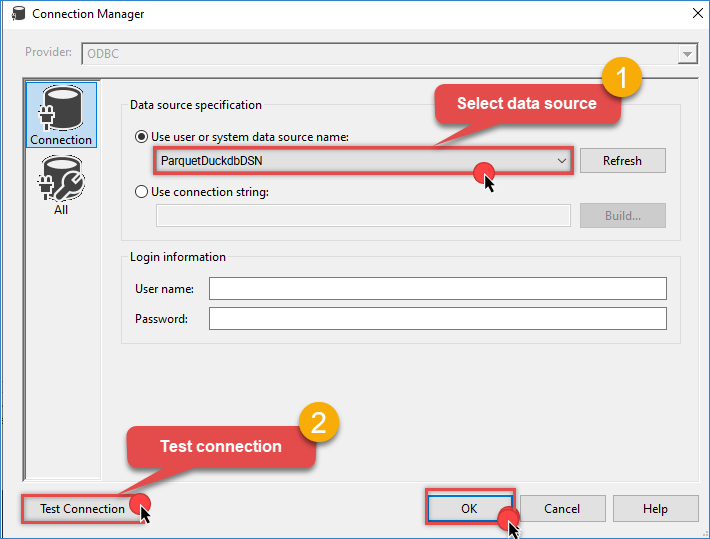
Click New to open the Configure ODBC Connection Manager window, then click New again to create a new ODBC connection.
-
Select the DuckDB ODBC data source you created earlier, click Test Connection, then click OK to finish the configuration.
-
Choose the Data access mode (
Table nameorSQL command).- Select a table if available, or
- Enter a SQL query (for example, a
read_parquetquery).
Click Preview to validate the results, then click OK.
-
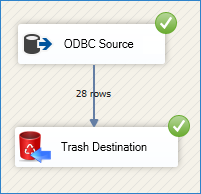
Drag and drop a destination component (in this case, trash destination), connect it to the ODBC Source, and run the package to view the results.
Conclusion
By integrating Parquet files with SSIS using the ZappySys ODBC JDBC (DuckDB) Driver, you can efficiently query Parquet data using SQL and process it within SSIS data flows. This solution provides a flexible and powerful way to read Parquet files, automate data extraction, and export results to various destinations, including databases, flat files, and Excel.
References
Contact us
If you encounter any issues or have specific questions, reach out to our support team via live chat or support ticket using our email support@zappysys.com.