Problem
When using the ZappySys Azure DevOps connector with Azure App Credentials (certificate/service principal), the test Connection succeeds. Still, the preview returns no rows (for example, an empty result for a Query Work Items WIQL query). The same query returns data when the connection uses a Personal Access Token (PAT).
Cause
A successful Test Connection only confirms that the app can get a token from Microsoft Entra ID, which means the certificate, Client ID, and Token URL are correct. It does not confirm that the app has access to your Azure DevOps organization.
- The app registration (service principal) has not been added to Azure DevOps, so API calls return no work items instead of an error.
- With a PAT, the calls run as your own user account, which already has access. That is why the same query works with a PAT.
- Other possible causes are an organization connected to a different Entra tenant, a service principal that is not a member of the team used in the query, or an incorrect scope.
Solution
Check the following, in this order.
Method 1: Add the app registration as a user in Azure DevOps
This is the most likely cause.
-
Go to
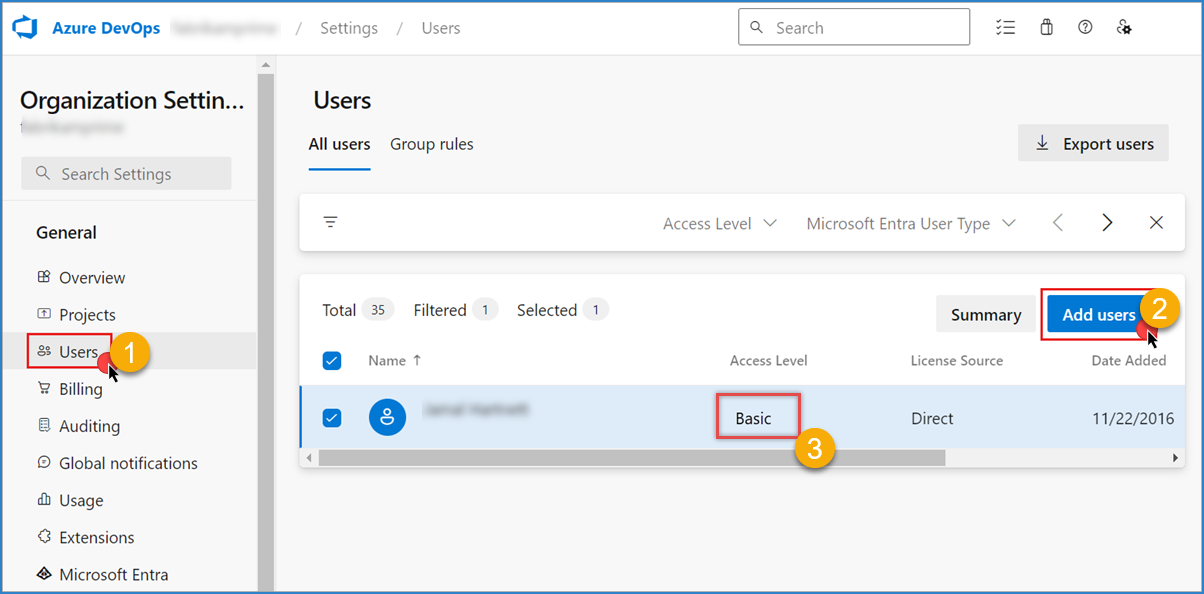
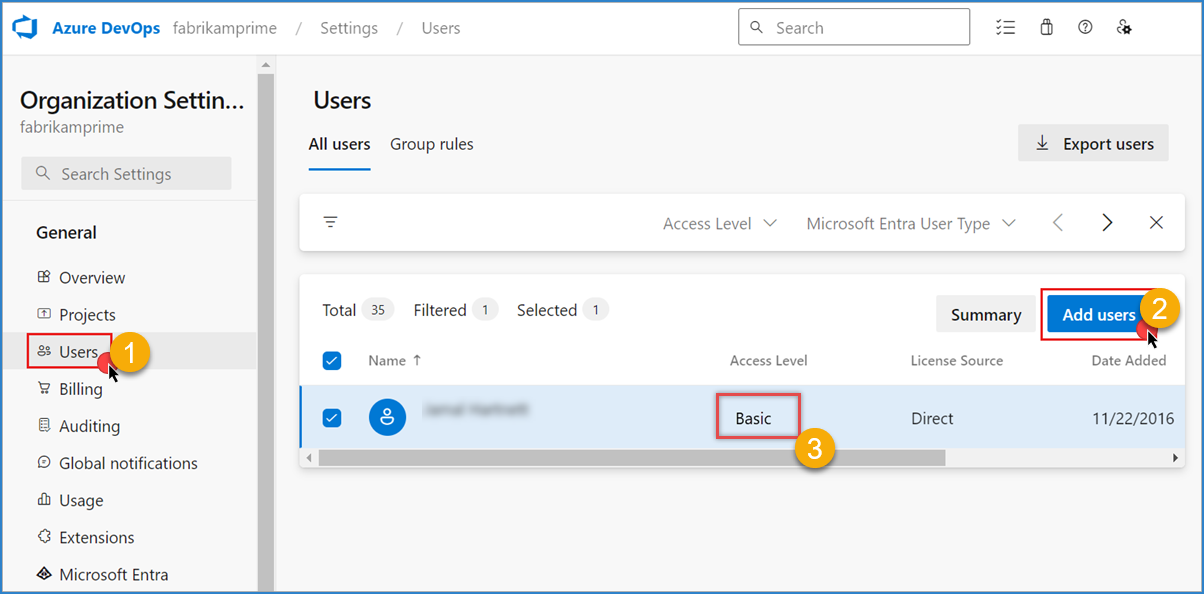
https://dev.azure.com/<your-organization>> Organization Settings > Users > Add users.
-
Search for the app registration by its name (the same Client ID used in your connection) and add it.
-
Set Access level to Basic. Stakeholder access is limited for work item queries.
-
Add it to your project with at least the Readers group, or Contributors if you plan to write data.
Method 2: Confirm the organization uses the same Entra tenant
- In Azure DevOps, go to Organization Settings > Microsoft Entra.
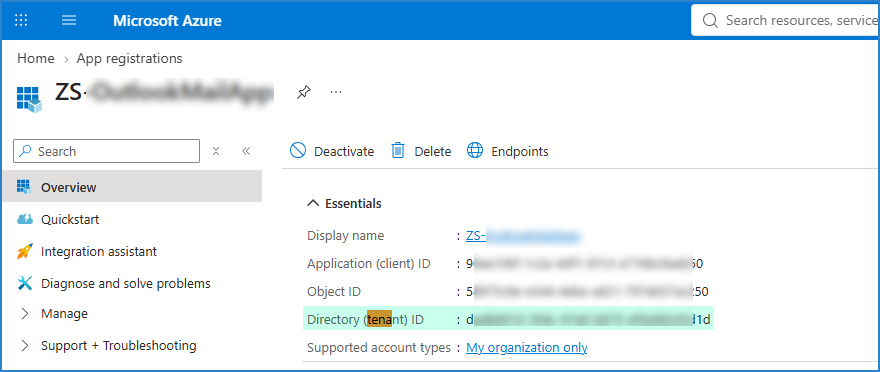
- Confirm the organization is connected to the same tenant ID used in your Token URL:
https://login.microsoftonline.com/<tenant-id>/...
- Service principals only work in Entra-backed organizations.
Method 3: Check team access
- If your WIQL query uses a Team Id parameter, make sure the service principal is a member of that team, or of a group that has access to it.
- To rule this out, clear the Team ID or Name field temporarily and preview again.
Method 4: Check the scope
If it still returns nothing, change the value in the Scopes field of your connection. Microsoft’s recommended scope for service principals is:
499b84ac-1321-427f-aa17-267ca6975798/.default
If your connection uses https://app.vssps.visualstudio.com/.default, replace it with the value above and test again.
Method 5: Re-test with a simple endpoint first
- In the Azure DevOps Source, select an endpoint like Read Projects and click Preview Data. If projects come back, access is working.
- Switch back to Query Work Items and click Preview Data.
- Go to the Columns tab and click Refresh Columns, so the metadata comes from the new connection instead of the PAT-based one.
Note: permission changes in Azure DevOps can take a few minutes to take effect.
Best practice
To avoid recurring issues:
- Do not rely on Test Connection alone for service principal connections. Always confirm with a simple endpoint like Read Projects.
- Add the service principal to Azure DevOps (Basic access level, plus a project group) before building the package.
- Give it Reader access for read-only packages, and Contributor access only when the package writes data.
- Refresh the columns after switching a connection from PAT to a service principal, since the metadata may differ.
- Make sure your ZappySys license is activated on every machine where the package will run, especially the production or SQL Agent server, so the package does not fail at runtime after the trial period.
Need more help?
If you still see no data after these steps, contact ZappySys Support:
- Live Chat: Use the chat widget (bottom-right corner)
- Email: support@zappysys.com
- Support Center: Support | ZappySys