Introduction
The ZappySys XML Parser Task is a free SSIS task that extracts XML values and saves them to SSIS variables using XPath expressions. This article uses the task’s sample XML to show how to map element and attribute values to variables, test them, and display the results with the Logging Task.
Prerequisites
- Download and install the ZappySys SSIS PowerPack.
When to use the XML Parser Task
- You need a few values from XML, such as a session key, a token, or an ID, to use in the rest of your package.
- Your XML comes from a direct value, a file, or a variable set by a previous task (for example, a SOAP or REST API response).
- You do not want to write a Script Task to parse XML.
Steps
- Open the SSIS Variables pane (SSIS > Variables) and create these String variables:
User::BookTitleByIdUser::BookTitleByPublishDateUser::FirstBookIdUser::FirstBookTitleUser::SessionKeyUser::SessionKeyByIdUser::Token
- Drag the ZS XML Parser Task from the SSIS Toolbox onto the Control Flow and double-click it to edit.
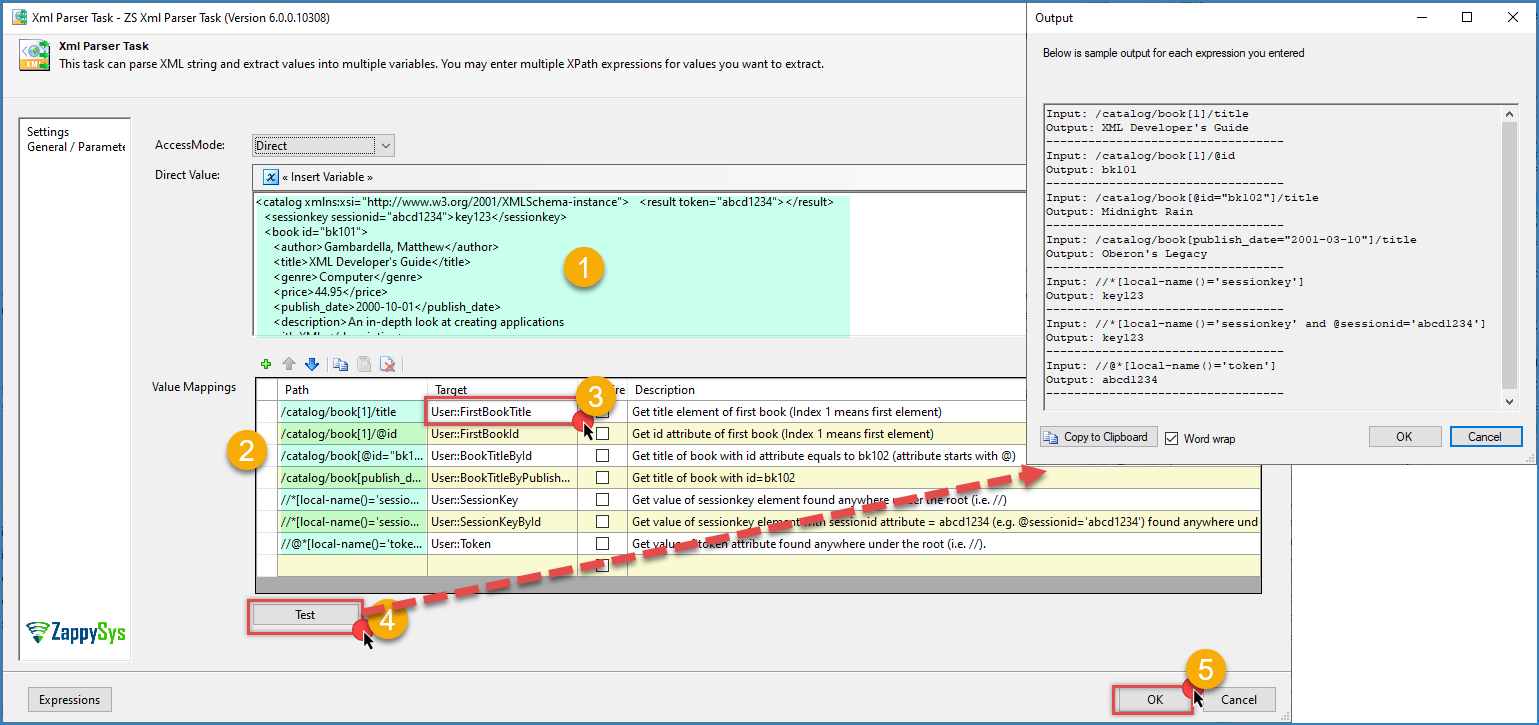
- Select Direct value as the source and paste the sample XML:
<catalog xmlns:xsi="http://www.w3.org/2001/XMLSchema-instance">
   <result token="abcd1234"></result>
   <sessionkey sessionid="abcd1234">key123</sessionkey>
   <book id="bk101">
      <author>Gambardella, Matthew</author>
      <title>XML Developer's Guide</title>
      <genre>Computer</genre>
      <price>44.95</price>
      <publish_date>2000-10-01</publish_date>
      <description>An in-depth look at creating applications
      with XML.</description>
   </book>
   <book id="bk102">
      <author>Ralls, Kim</author>
      <title>Midnight Rain</title>
      <genre>Fantasy</genre>
      <price>5.95</price>
      <publish_date>2000-12-16</publish_date>
      <description>A former architect battles corporate zombies,
      an evil sorceress, and her own childhood to become queen
      of the world.</description>
   </book>
   <book id="bk103">
      <author>Corets, Eva</author>
      <title>Maeve Ascendant</title>
      <genre>Fantasy</genre>
      <price>5.95</price>
      <publish_date>2000-11-17</publish_date>
      <description>After the collapse of a nanotechnology
      society in England, the young survivors lay the
      foundation for a new society.</description>
   </book>
   <book id="bk104">
      <author>Corets, Eva</author>
      <title>Oberon's Legacy</title>
      <genre>Fantasy</genre>
      <price>5.95</price>
      <publish_date>2001-03-10</publish_date>
      <description>In post-apocalyptic England, the mysterious
      agent known only as Oberon helps to create a new life
      for the inhabitants of London. Sequel to Maeve
      Ascendant.</description>
   </book>
</catalog>
-
Click Test to check the expressions. The extracted values appear in the output.
-
Replace
<LOG-TO-OUTPUT>with the variables you created: -
Click OK to save the configuration.
-
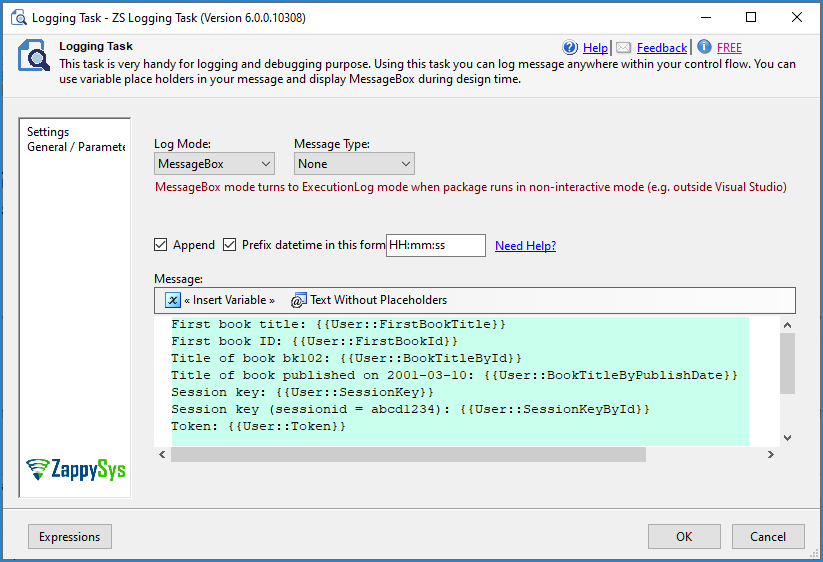
Drag the ZS Logging Task onto the Control Flow and connect it to the XML Parser Task with the green arrow. Set the logging mode to show a message box and enter this message:
First book title: {{User::FirstBookTitle}}
First book ID: {{User::FirstBookId}}
Title of book bk102: {{User::BookTitleById}}
Title of book published on 2001-03-10: {{User::BookTitleByPublishDate}}
Session key: {{User::SessionKey}}
Session key (sessionid = abcd1234): {{User::SessionKeyById}}
Token: {{User::Token}}
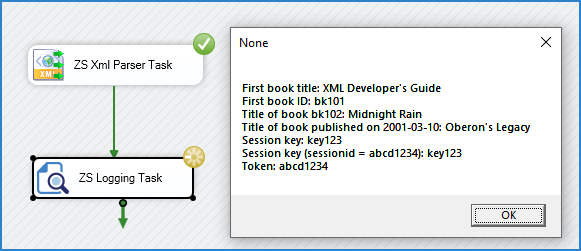
- Run the package. The Logging Task shows a message box with the values stored in the variables.
Conclusion
The XML Parser Task extracts values from XML into SSIS variables for free and without writing code. Paste or load your XML, map XPath expressions to variables in Value Mapping, test them, and use the variables in the rest of your package.
Still need help?
If you need assistance using the XML Parser Task, please get in touch with our support team:
- Live Chat: Open the chat widget (bottom right of this page)
- Email: support@zappysys.com
- Support Center: Support | ZappySys