Introduction
In this tutorial, we’ll guide you through the process of splitting rows from a source into multiple CSV files using ZappySys SSIS PowerPack. This is useful when you need to manage large datasets by splitting them into smaller files based on row count or file size.
Prerequisites
- SSIS installed.
- Download and install the ZappySys SSIS PowerPack.
Steps
-
In the Control Flow tab, drag and drop a Data Flow Task into the package, then open it.
-
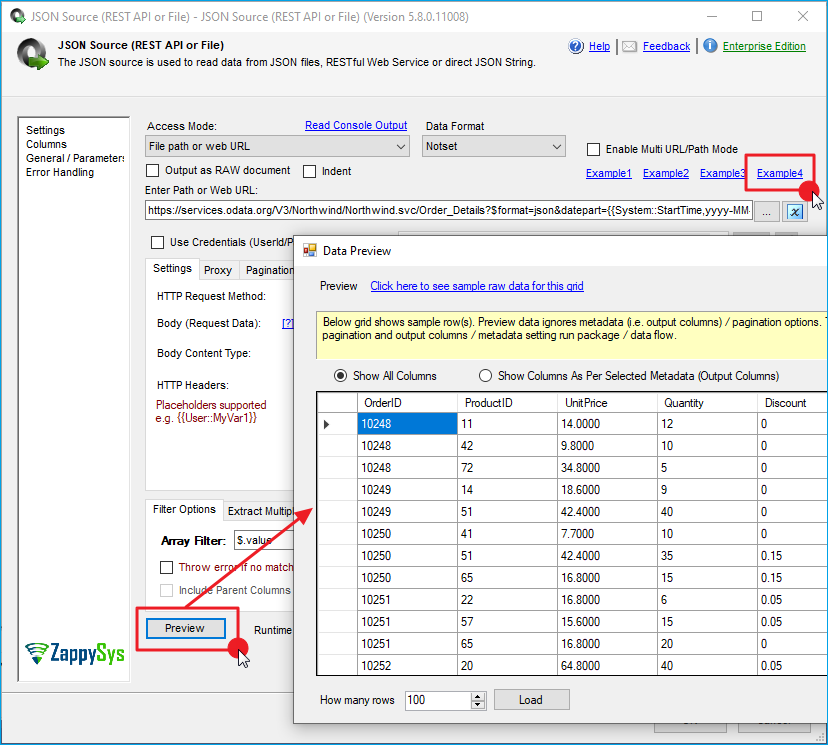
Drag a JSON Source component into the Data Flow and double-click to configure it.
-
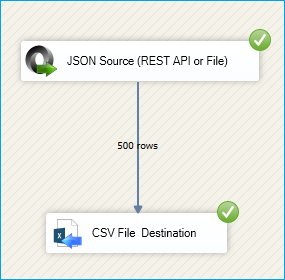
For this example, select Example 4, which contains 500 rows. Click OK to save the configuration.
-
In the Connection Managers area, right-click and select New File Connection.
-
Choose an existing CSV file or use Create file to define a new file path and name.
-
Drag a CSV Destination component into the Data Flow, connect it to the JSON Source, and open it to configure.
-
In the Connection Manager tab, select the file connection you created earlier.
-
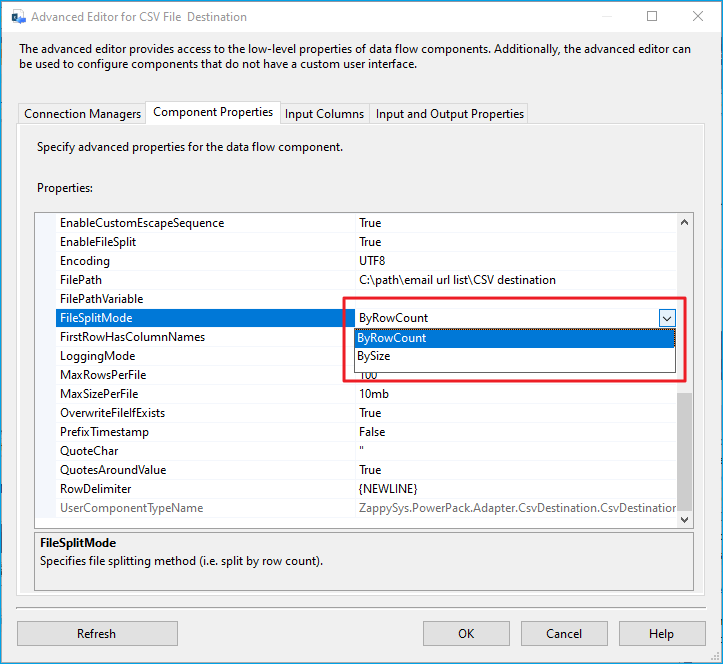
Go to the Component Properties tab and find the FileSplitMode property. Choose whether to split by rows or by size.
-
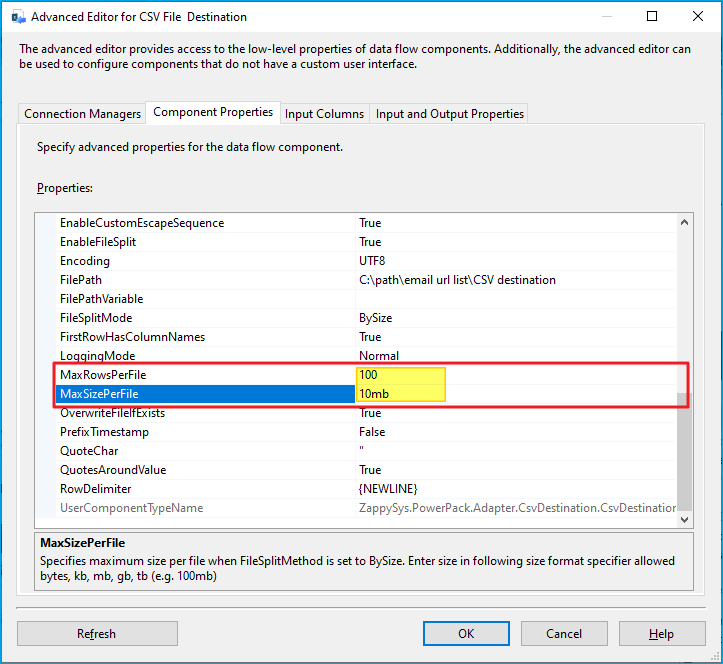
If you select Size, set the MaxSizePerFile property. You can specify the maximum size using format specifiers such as
bytes,kb,mb,gb, ortb(for example,100mb). -
If you select Rows, set the MaxRowsPerFile property (default:
100000). In this example, we’ll use 100 rows per file.
-
Go to the Input Columns tab and check the columns you want to include in the CSV file.
-
Click OK to save the configuration.
-
Run the package.
-
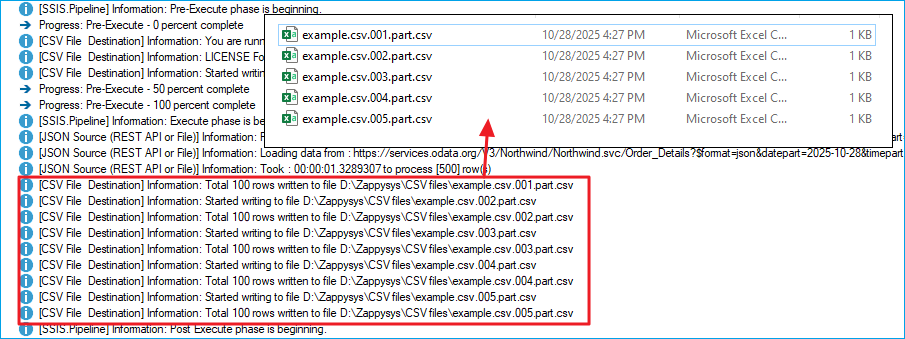
You should now see five CSV files, each containing 100 rows of data.
Conclusion
By following these steps, you can easily split large datasets into smaller, more manageable CSV files using the ZappySys CSV Destination. This approach helps improve performance, simplify data storage, and streamline data management in your SSIS workflows.
Explore our SSIS PowerPack for more information and download and install it to start building smarter, faster, and more scalable solutions.
References
- JSON source
- JSON source documentation
- CSV File Destination
- CSV File Destination documentation
- Blog articles
- SSIS PowerPack
Contact us
If you encounter any issues or have specific questions, reach out to our support team via live chat or support ticket using our email support@zappysys.com.