Introduction
This article will show how to extract data from a SOAP Web Service and export it to an Excel file using SSIS. We will use the XML Source to call the SOAP endpoint and the Excel Destination to generate the output file.
Prerequisites
- Download and install the ZappySys SSIS PowerPack.
Steps
-
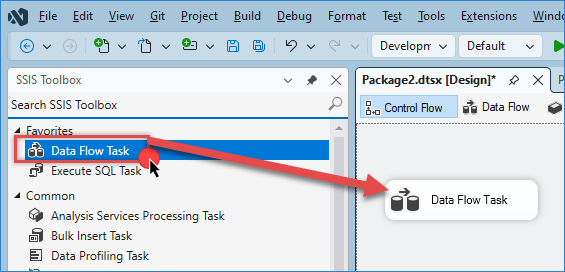
Drag and drop a Data Flow task into your SSIS package.
-
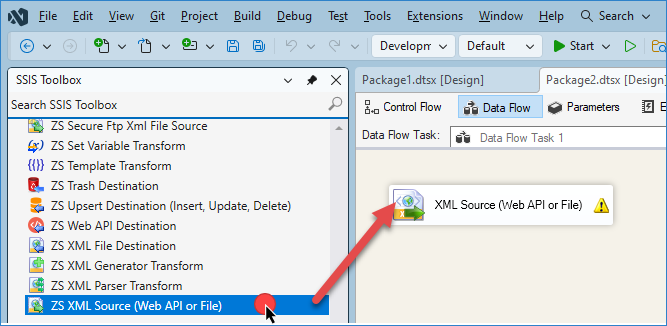
Inside the Data Flow, add an XML Source component.
-
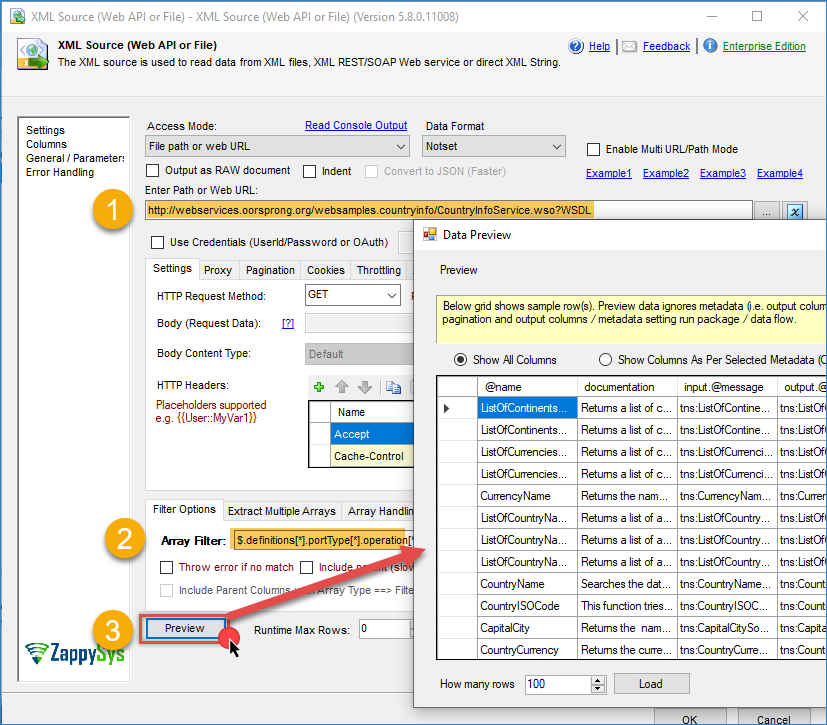
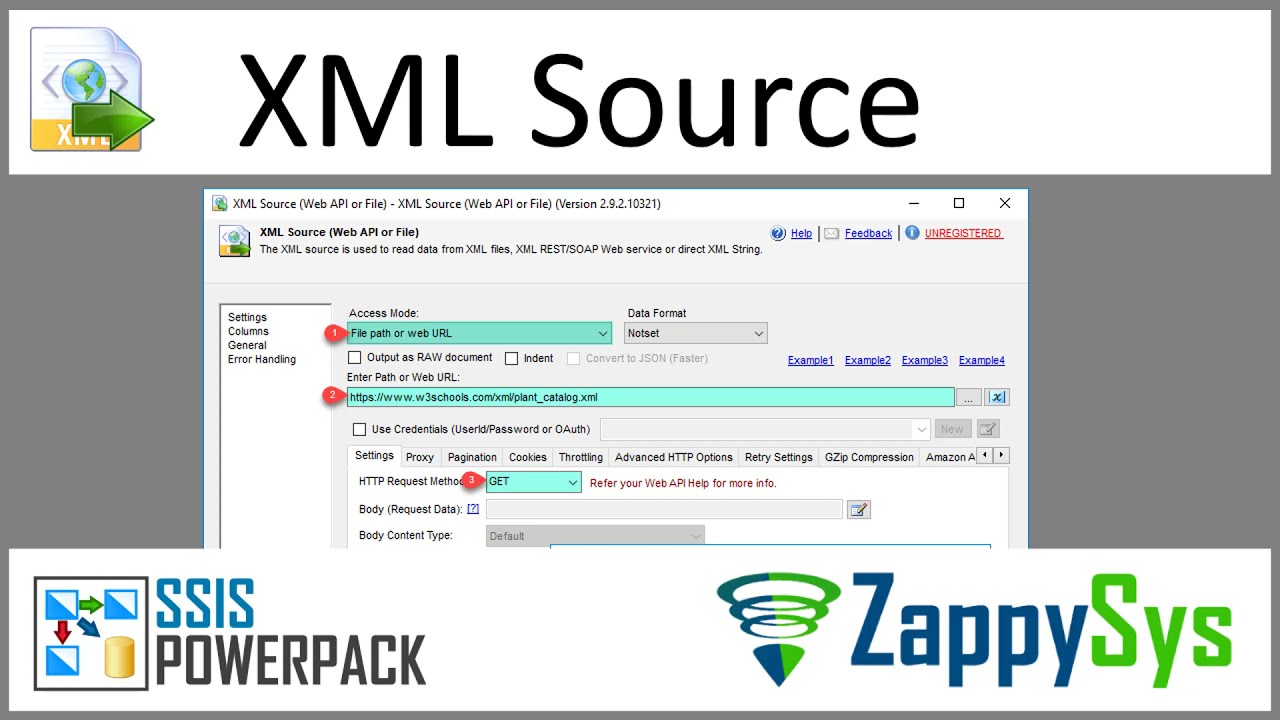
Open the XML Source and enter the URL or a file with XML format. In this example, we will use the following URL:
http://webservices.oorsprong.org/websamples.countryinfo/CountryInfoService.wso?WSDL -
If you have a different SOAP example, you may also need to specify additional settings such as HTTP Request Method, Request Body, and required Headers and authentication.
-
Enter the array filter to extract the specific object you want. In our case, we will use:
$.definitions[*].portType[*].operation[*] -
Click Preview to validate the SOAP response and confirm that the XML structure is correct. Click OK to save the configuration.
-
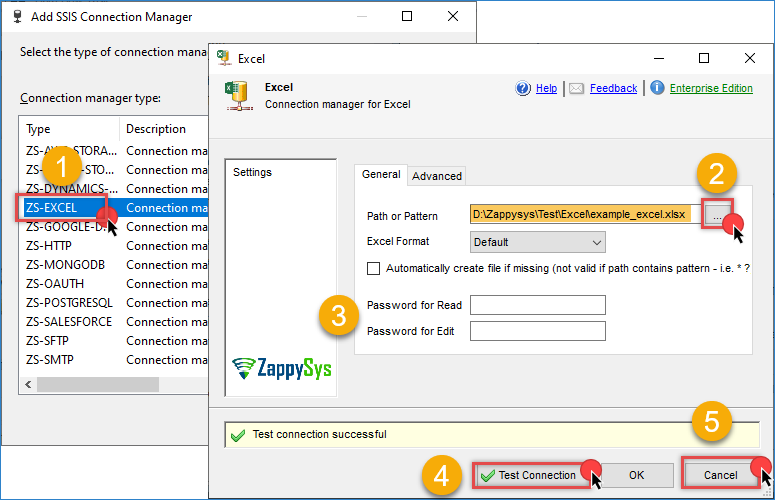
Go to Connection Manager, right-click, and select New Connection, then choose ZS-EXCEL.
-
Select an existing Excel file and enter a password if required. Test the connection, then click OK to save it.
-
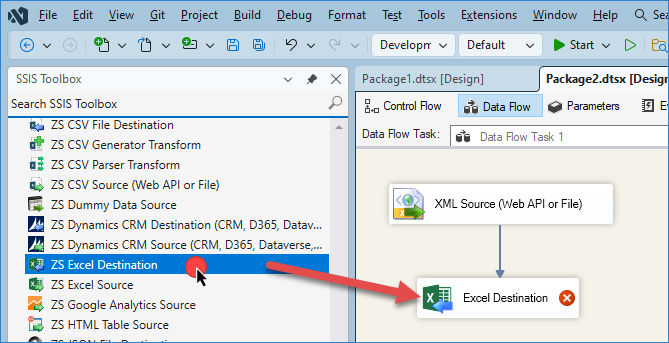
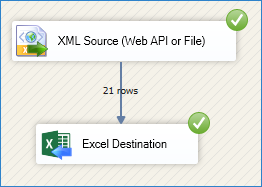
Drag and drop ZS Excel Destination component from the SSIS toolbox onto the Data Flow and connect it to the XML Source.
-
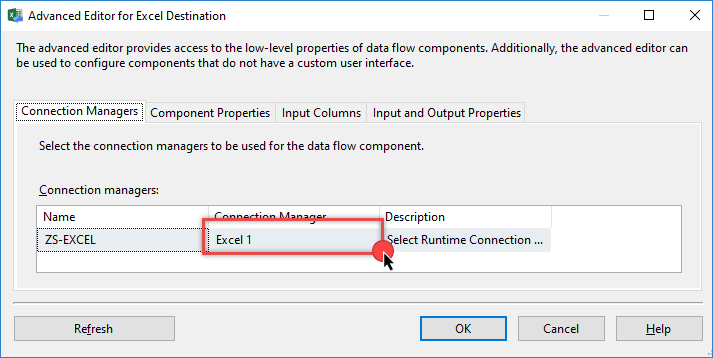
Open the Excel Destination and select the Excel connection created in the previous step.
-
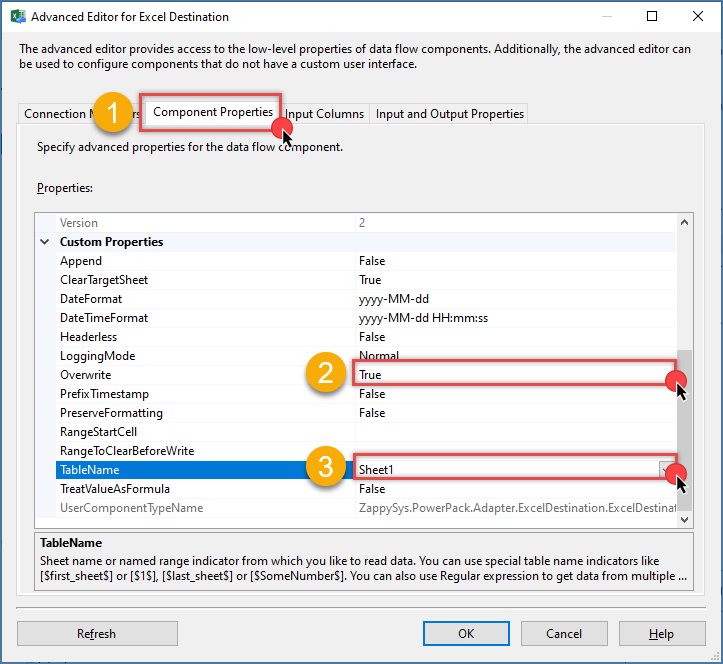
Go to Component Properties and select the sheet you want to export to. You can configure additional settings, such as Overwrite, if needed.
-
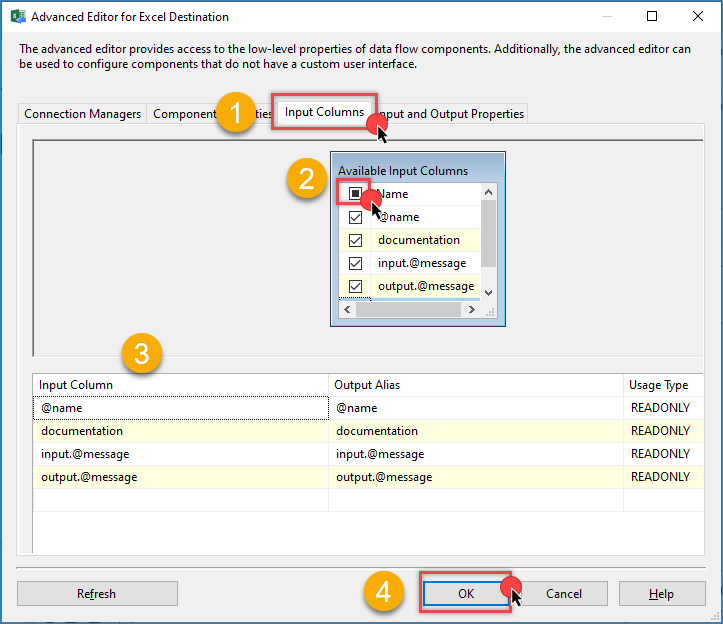
Go to the Mappings tab and ensure all columns from the XML Source correctly map to the Excel columns.
-
Click OK to save the configuration.
-
Run the SSIS package to export the SOAP Web Service data into the Excel file.
Video tutorial
Conclusion
By following these steps, you can easily extract data from a SOAP Web Service and export it to an Excel file using SSIS. With ZappySys SSIS PowerPack, you can efficiently connect to SOAP endpoints, parse XML responses, and automate your data integration workflows.
Explore our ZappySys SSIS PowerPack for more information and download and install it to start building smarter, faster, and more scalable solutions.
References
- XML Source
- XML Source documentation
- Excel File Destination
- Excel File Destination documentation
- Blog articles
- ZappySys SSIS PowerPack
Contact us
If you encounter any issues or have specific questions, reach out to our support team via live chat or submit a support ticket using our email: support@zappysys.com.