Introduction
After calling an API with the Web API Destination, you may want to store the response in a database for reporting, whether the transaction succeeded or failed. This article shows a simple way to capture that response, parse it, and load it into a database table.
Prerequisites
- Download and install the ZappySys SSIS PowerPack.
Steps
-
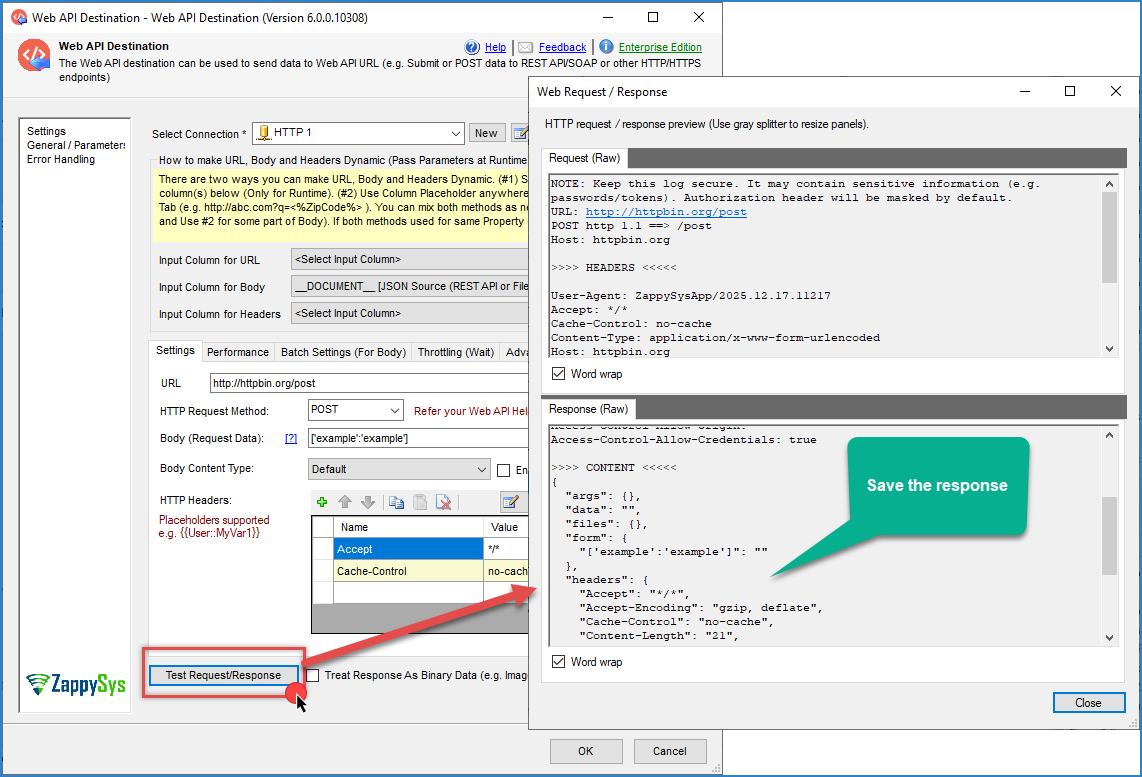
In the Web API Destination editor, get a sample response using Test Request/Response, or check your API’s documentation for a sample response. Make sure the response body is available as an output column, for example,
response_body.
-
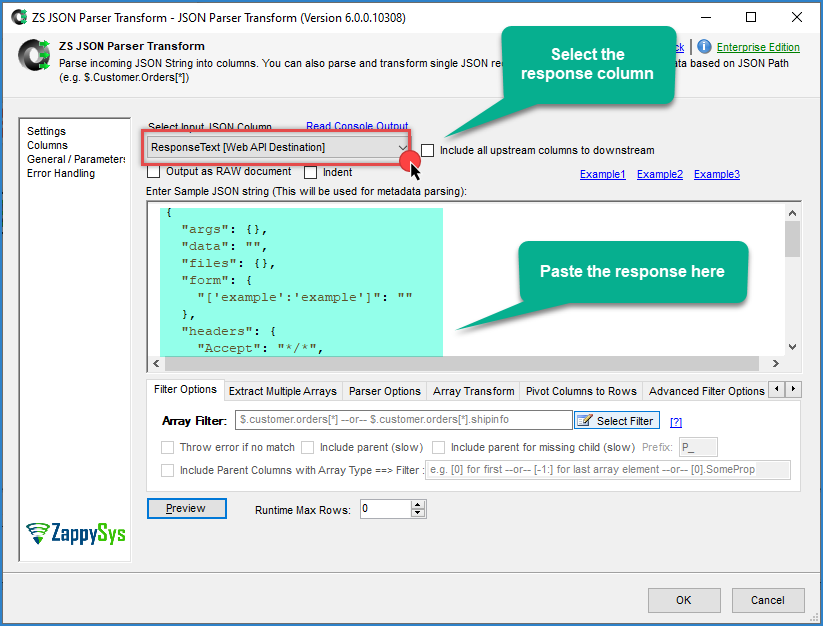
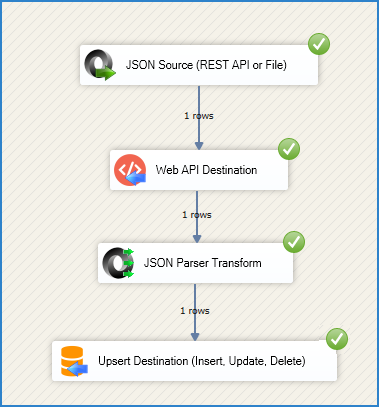
Drag ZappySys JSON Parser task (or XML Parser Task, depending on your API’s response format) and connect it after Web API Destination. Select the raw response column,
ResponseText, as the input, and paste the sample response you found in the previous step. Set the filter/path if needed to reach the fields you want, and use Preview to confirm the output columns look correct.
-
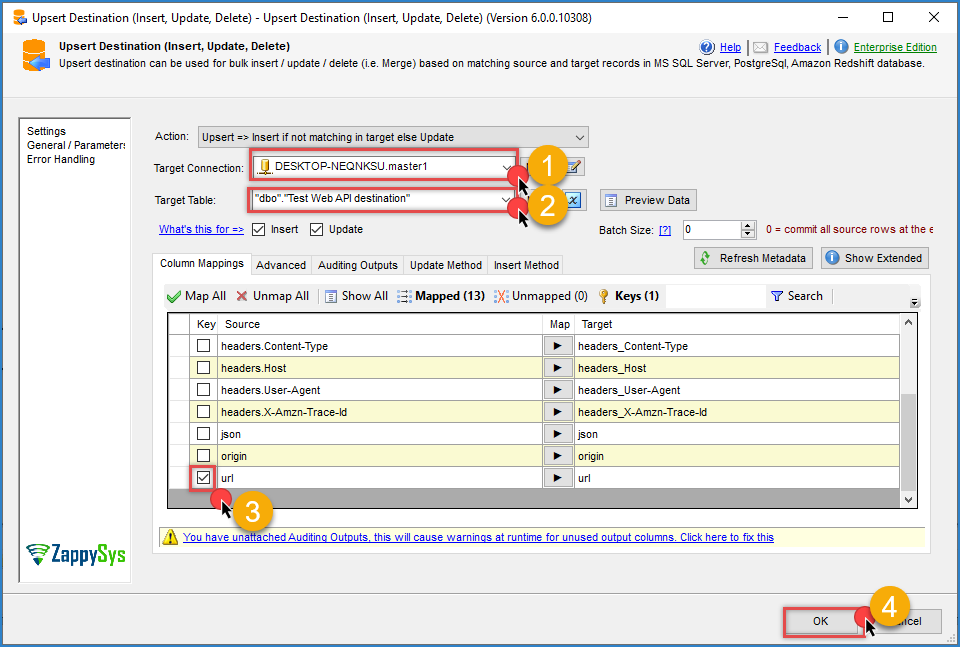
Drag ZappySys Upsert Destination and connect it after the parser. Configure the connection, select your target table, set the key column(s) to match on, and map the remaining fields. Click OK to save.
-
Run the package and check the result in your database.
Notes
- Use JSON Parser if your API returns JSON, or XML Parser Task if it returns XML.
- If success and error responses have different fields, map the ones that apply to both; fields missing in a given response will just come through empty.
- Test with both a request that succeeds and one that fails, so you can confirm both outcomes are captured correctly before relying on this for reporting.
Conclusion
Capturing the response from Web API Destination, parsing it with JSON Parser or XML Parser Task, and loading it with Upsert Destination is enough to keep a record of every API transaction for reporting.
Still need help?
If you need assistance logging API responses from Web API Destination, please contact our support team:
- Live Chat: Open the chat widget (bottom right of this page)
- Email: support@zappysys.com
- Support Center: https://zappysys.com/support/