Introduction
In this article, we review the latest improvement to the OData connector available in the ZappySys SSIS connector. This update introduces new metadata endpoints that make it easier to explore and understand OData services before building data extraction pipelines.
All the changes described in this article were introduced in version 6.0.0.10308, released on March 03, 2026.
Prerequisites
- Download and install the ZappySys SSIS PowerPack.
- Access to an OData service endpoint.
What’s new in the OData connector
The latest update introduces two new metadata endpoints that allow developers to inspect the structure of an OData service directly from SSIS. These endpoints simplify the process of discovering available entities and their corresponding columns before configuring a data extraction workflow.
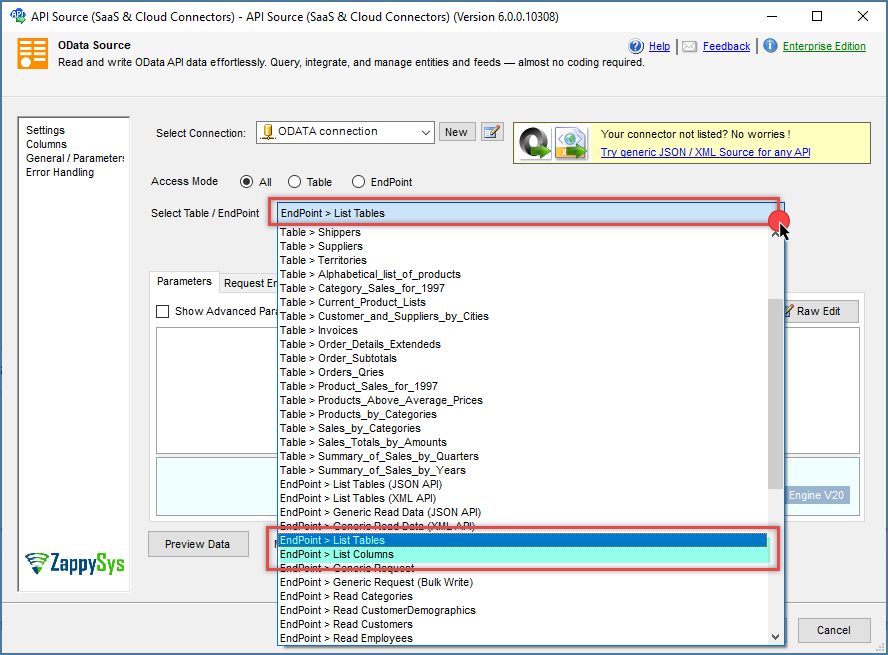
New endpoint: get_metadata_tables
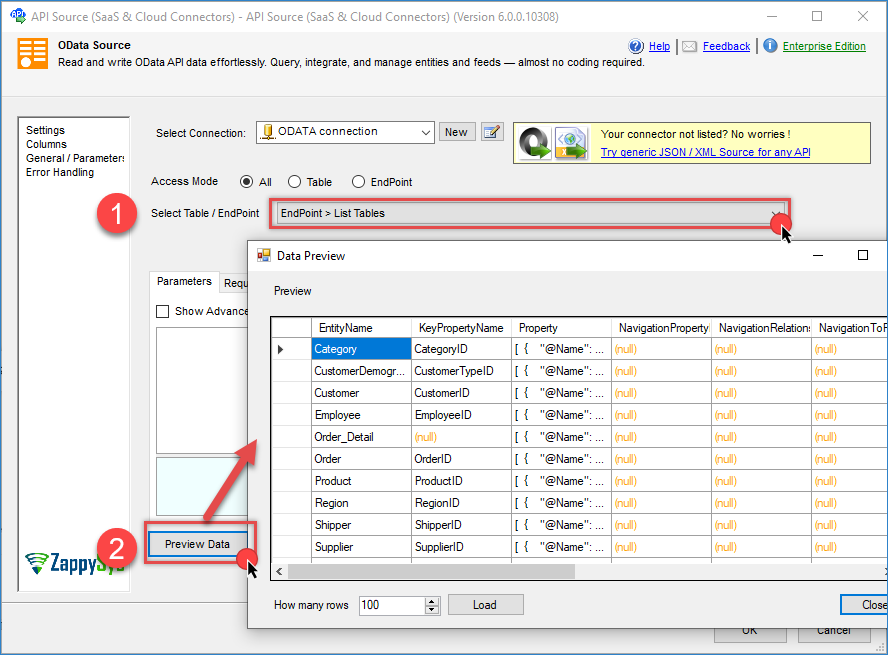
The get_metadata_tables endpoint allows you to retrieve a list of available entities exposed by an OData service. This endpoint helps you quickly identify which tables or entities are available before configuring your data extraction pipeline.
By using this endpoint, developers can explore the available data structure and determine which entities to include in the integration process.
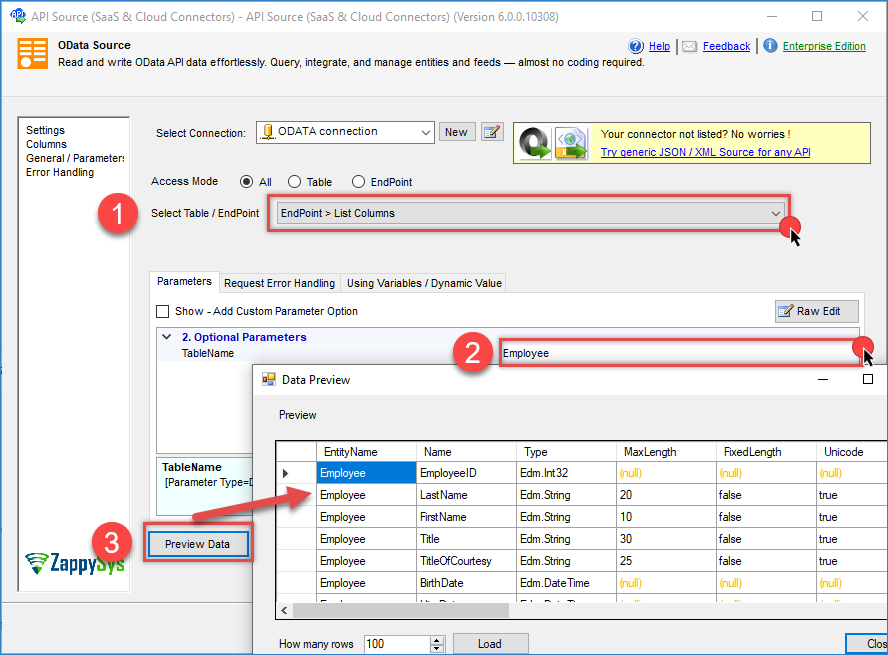
New endpoint: get_metadata_columns
The get_metadata_columns endpoint returns detailed information about the columns available within a specific OData entity. This endpoint enables developers to inspect column names, data types, and other structural details before retrieving data.
This capability is particularly useful when working with unfamiliar APIs or when validating schema changes in an OData service.
Common use cases
- Identifying column names before writing queries.
- Validating schema changes in an OData service.
- Building dynamic ETL solutions that adapt to schema updates.
Contact us
If you encounter any issues or have specific questions, reach out to our support team via live chat or submit a support ticket at support@zappysys.com