Introduction
In this article, we highlight the latest improvements to the Google Calendar connector available in the ZappySys API connector. These updates improve compatibility with Google authentication, expand the available event fields, and introduce new filtering and pagination capabilities.
All the changes described in this article were introduced in version 6.0.0.10308, released on March 03, 2026.
Prerequisites
- Download and install the ZappySys SSIS PowerPack.
- A Google account with access to Google Calendar.
What’s new in the Google Calendar connector
The Google Calendar connector has received several important updates focused on authentication reliability, improved event metadata, and enhanced querying capabilities.
New default ZappySys application
The connector now uses a new default ZappySys application when the parameter UseCustomApp=False.
The previous application was blocked for many users due to changes in Google’s security policies. The new default app resolves this issue and ensures smoother authentication without requiring custom app registration. This change improves the overall connection experience and reduces configuration complexity.
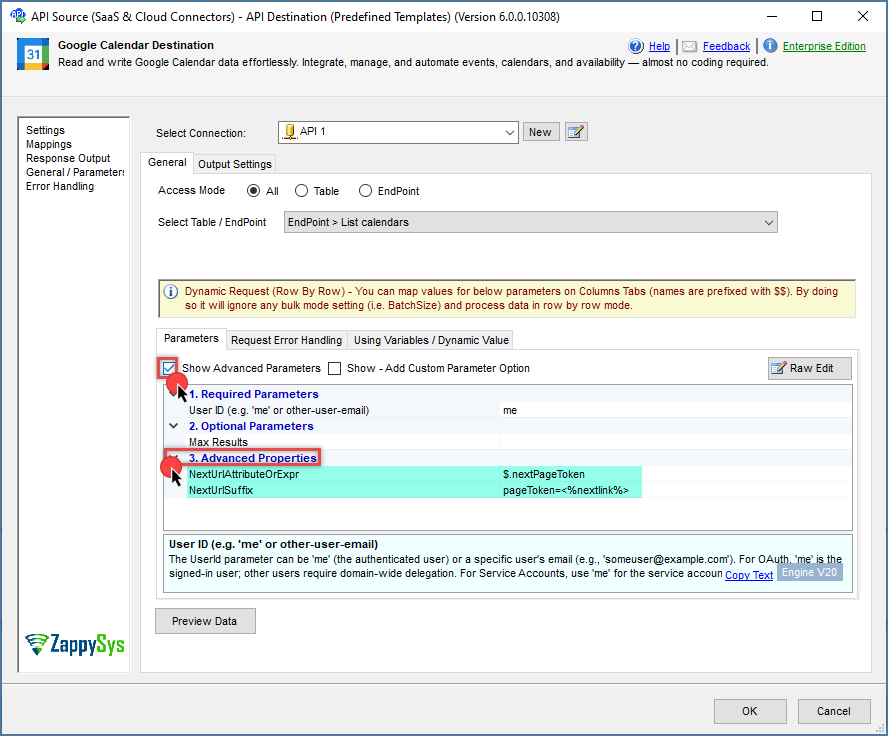
Pagination support for List Calendars
The List Calendars endpoint now supports pagination. Pagination improves performance and helps avoid API response size limits when accessing accounts with many calendars.
Additional event columns
New fields have been added across several endpoints. These additional columns expose more metadata from Google Calendar events, including the following endpoints:
list_eventscreate_eventupdate_event
These new columns allow SSIS packages to access richer event information without requiring custom API transformations.
New event properties in get_event and list_events
Several new fields are now available when retrieving event information. Examples include StartsOn, EndsOn, and Location.
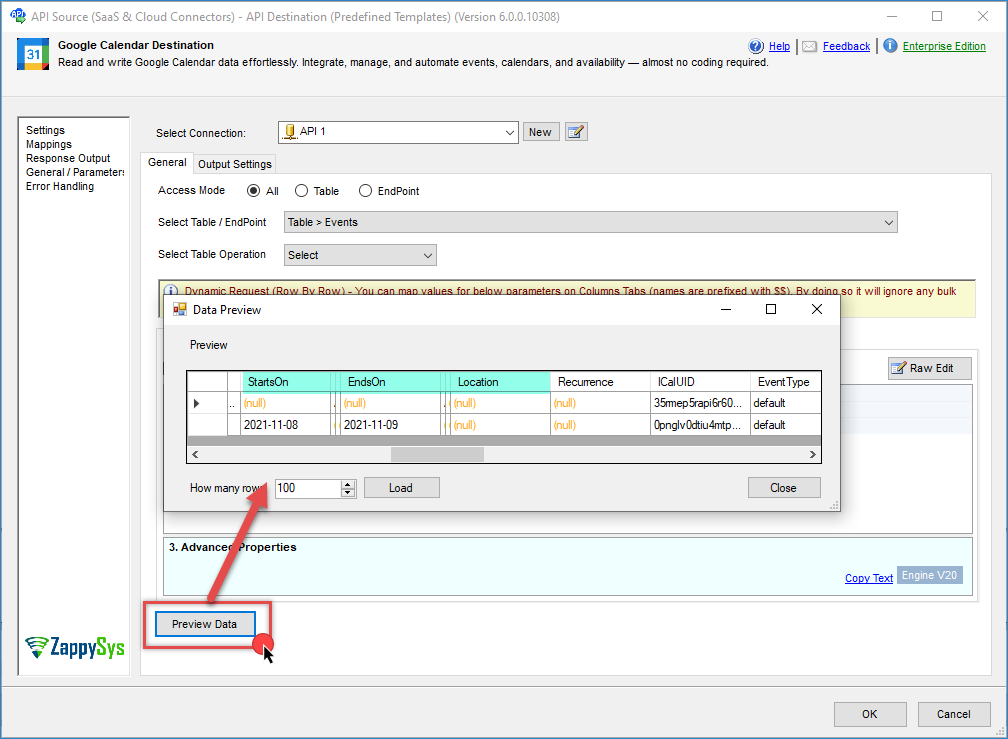
These columns simplify event-scheduling workflows and enable easier reporting, filtering, and synchronization.
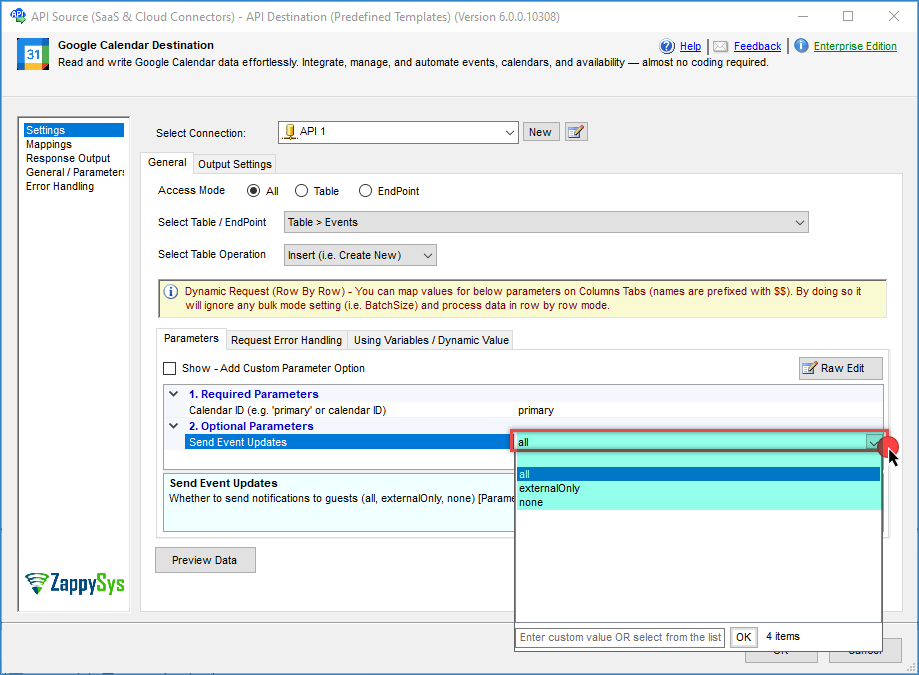
New Send event Updates parameter for event notifications
The create_event and update_event endpoints now include the SendUpdates parameter. This parameter controls whether notifications are sent to guests when events are created or updated. The available options include all, externalOnly, and none. This provides better control over calendar management tasks when automating them with SSIS.
Improved filtering options for list_events
The list_events endpoint now supports additional filtering parameters, including Start Time, End Time, Show Deleted, Single Events, Max Result, and Order By.
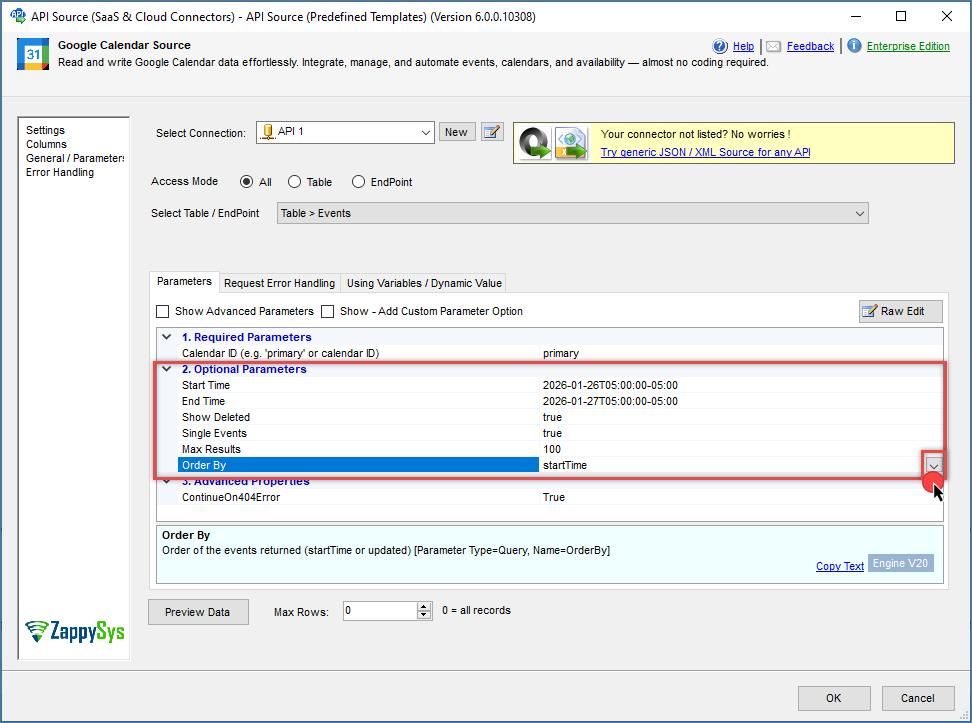
These filters allow packages to retrieve events within specific time ranges, making it easier to build time-based ETL pipelines or reporting solutions.
Support for reading events from all calendars
The connector now supports retrieving events from all calendars associated with an account. This simplifies scenarios where integrations need to aggregate or monitor events across multiple calendars.
Support for attendees, attachments, and reminders as raw arrays
You can now provide attendees, attachments, and reminders as raw arrays of email addresses. This simplifies configuration when creating or updating events and removes the need to construct complex JSON structures manually.
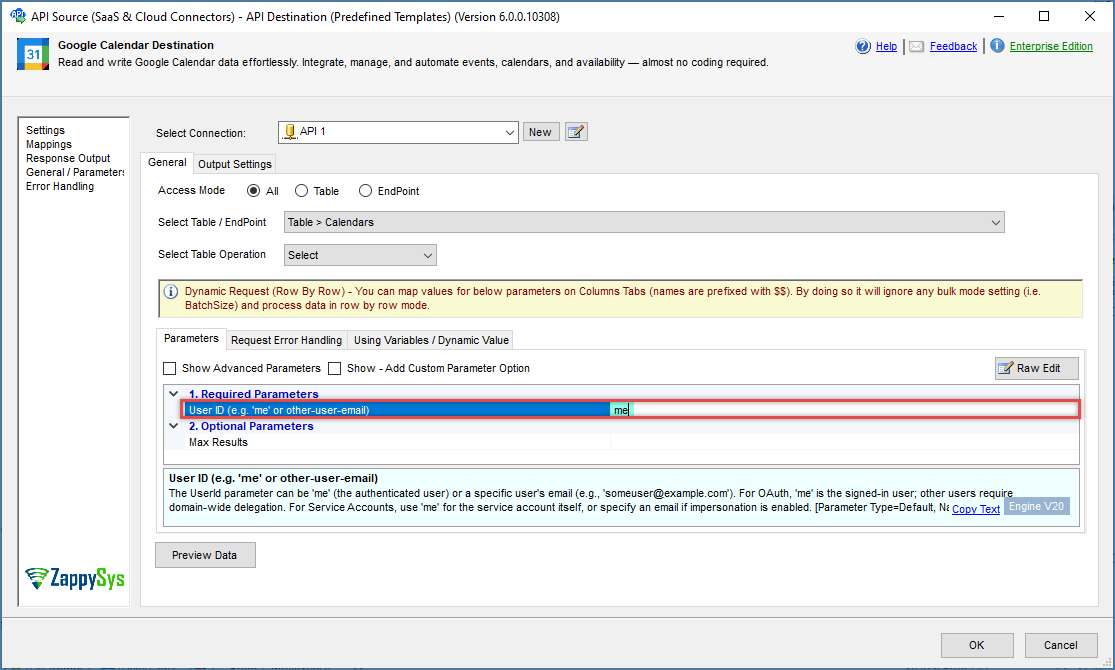
Service account support for calendar listing
The list_calendar endpoint now includes a UserId parameter. The UserId parameter can be me (the authenticated user) or a specific user’s email address, for example someuser@example.com.
Contact us
If you encounter any issues or have specific questions, reach out to our support team via live chat or submit a support ticket using our email: support@zappysys.com.