Problem
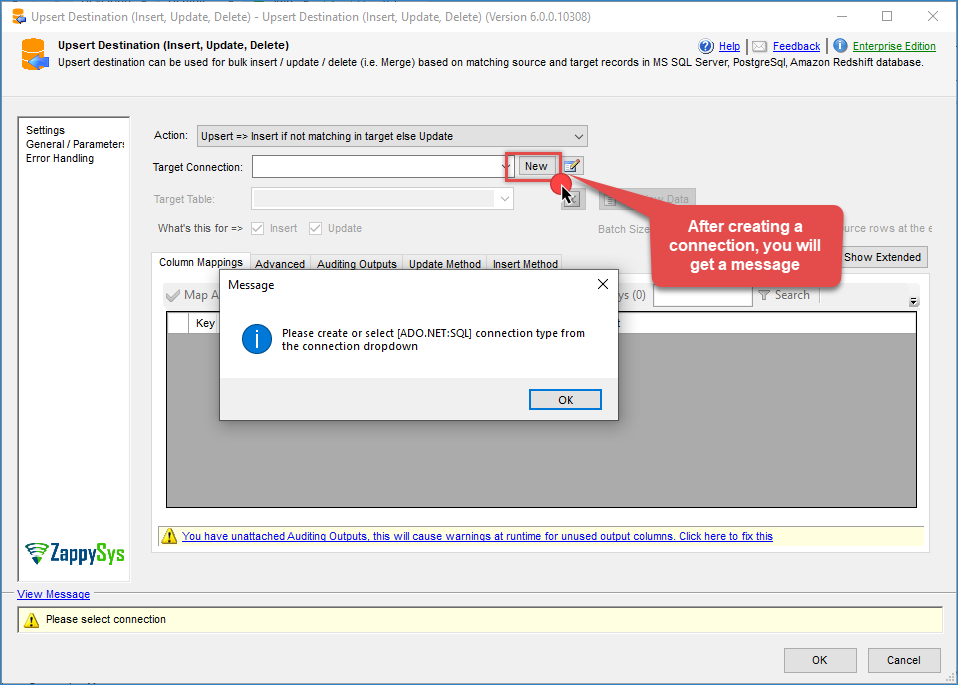
When creating a new connection in the Upsert Destination component, you may encounter the following message:
Please create or select [ADO.NET:SQL] connection type from the connection dropdown
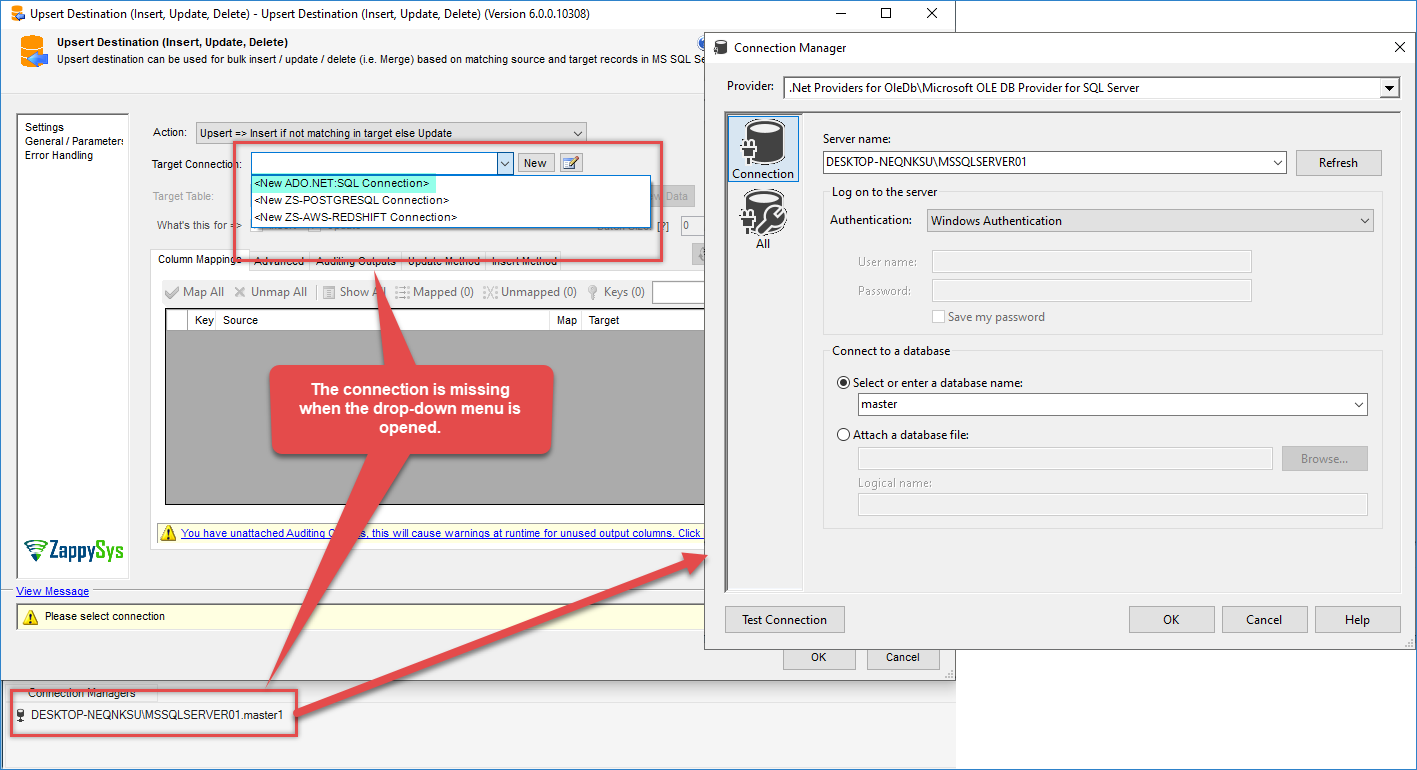
Alternatively, when creating a new connection, it may not appear in the Target Connection drop-down list.
Cause
This issue typically occurs when an unsupported provider is used or when the selected connection type is not compatible with the component.
Solution
The Upsert Destination supports only the following databases:
- Microsoft SQL Server using an ADO.NET connection
- PostgreSQL
- Amazon Redshift
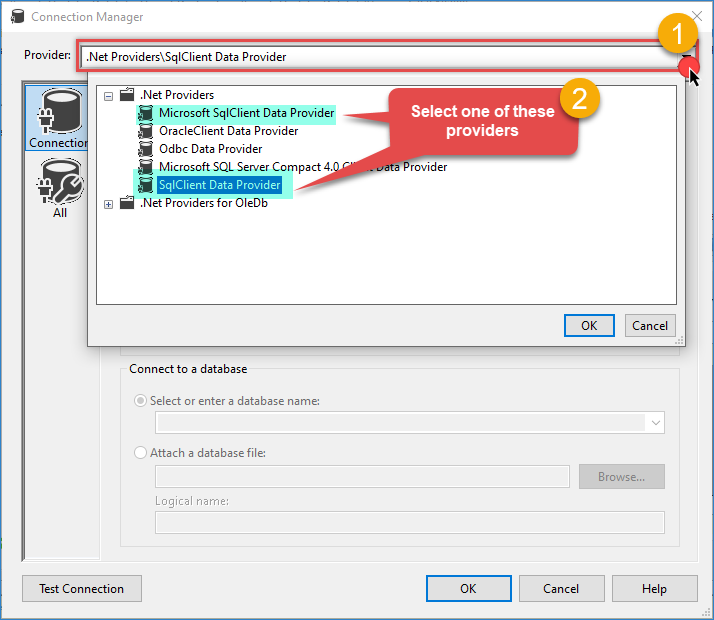
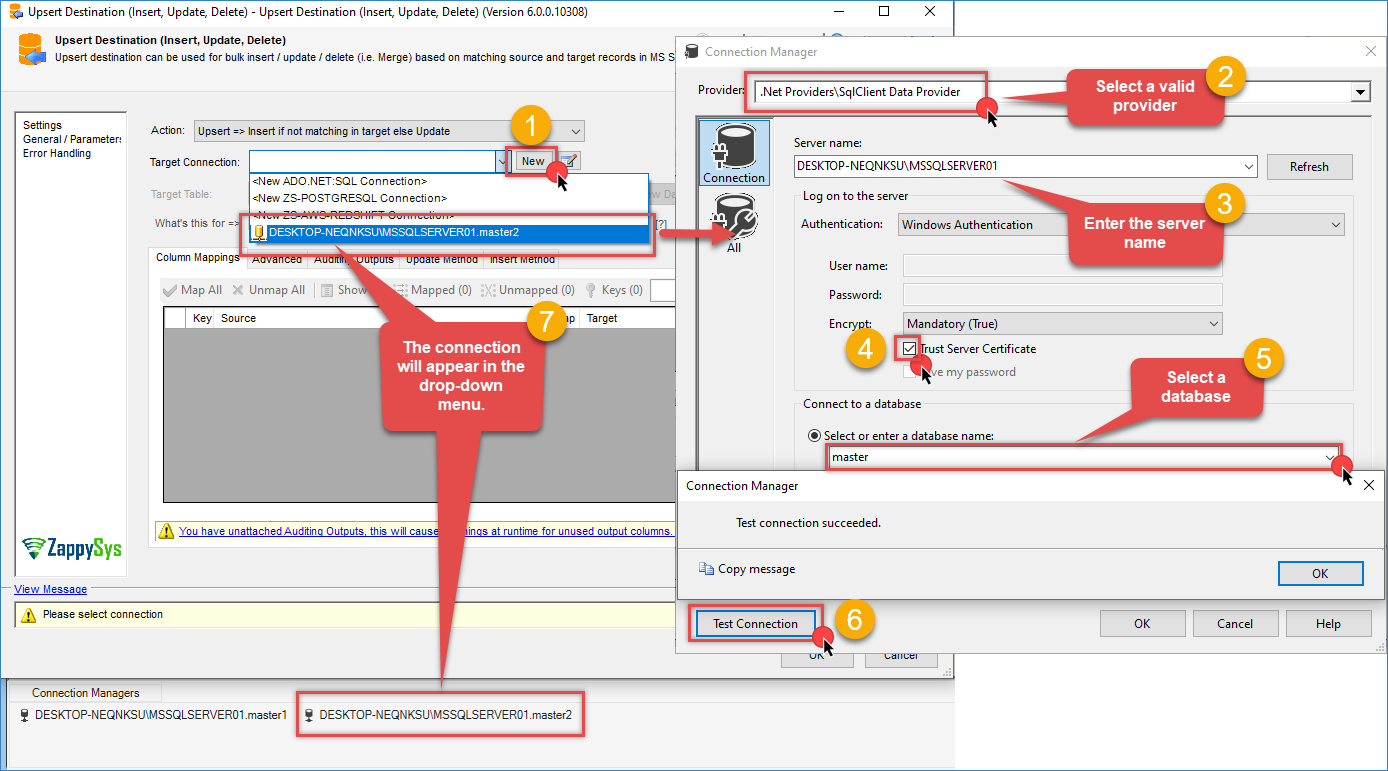
To resolve this problem, create a connection using one of the supported ADO.NET providers with valid database credentials:
-
Select Microsoft SqlClient Data Provider or SQLClient Data Provider.
-
Enter your database credentials.
-
Click Test Connection to verify connectivity.
-
Save the connection. After saving, the connection should appear in the Target Connection drop-down within the component.
Still need help?
If the issue persists, please get in touch with our support team:
- Live Chat: Open the chat widget (bottom right of this page)
- Email: support@zappysys.com
- Support Center: Support | ZappySys