Introduction
After changing to a new port, it is important to verify whether the old port is still in use. This helps prevent conflicts with other applications and ensures the new configuration is working correctly.
In this article, you will learn how to check if a specific TCP port is in use on Windows and how to identify which process is holding that port using built-in system tools.
Steps
Checking if a port is in use
To determine whether a port is currently being used, follow these steps:
-
Open the Command Prompt.
-
Run the following command (replace the port number with the one you want to check):
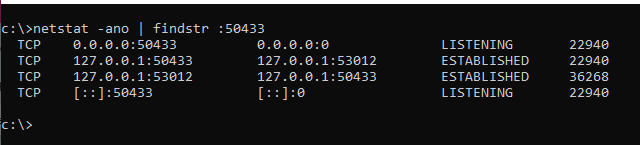
netstat -ano | findstr :50433 -
Review the output:
- If the port is not in use, the command will return no results.
- If the port is in use, you will see one or more entries indicating active connections.
Identifying which process is using the port
If the port is in use, you can identify the process holding it by checking the PID (Process ID).
-
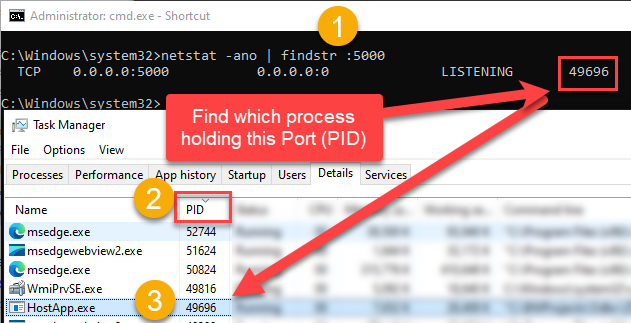
Run the command to search for the port and note the PID (Process ID), which is the last column in the console output. This PID corresponds to the process that is holding the port.
netstat -ano | findstr :5000 -
Open the Task Manager.
-
Navigate to the Details tab.
-
Sort the list by the PID column and locate the PID to match it with the console output. This will identify the process that is holding the port.
-
To release the port, you need to terminate this process. If possible, avoid killing it abruptly; instead, try to exit it gracefully.