Many applications provide only an ODBC driver and do not offer a native JDBC driver for Java applications. ZappySys Data Gateway allows you to bridge this gap by exposing any ODBC data source through a JDBC interface that Java applications can consume.
Prerequisites
Before you begin, ensure you have:
- An ODBC driver is installed and configured
- A working ODBC DSN
- ZappySys Data Gateway installed
- ZappySys JDBC Driver added to your Java project
Step 1: Configure an ODBC DSN
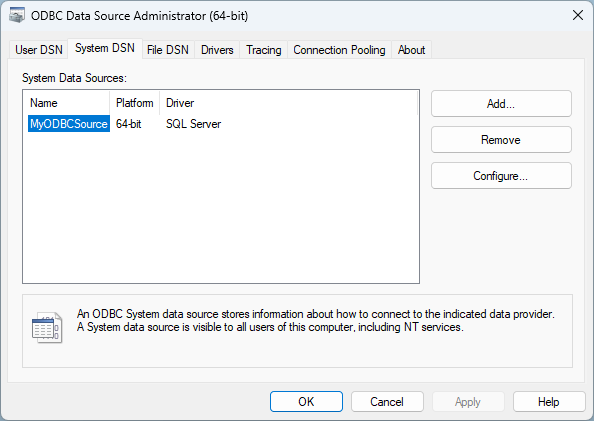
Install your ODBC driver and create a DSN using Windows ODBC Data Source Administrator.
Example:
DSN Name: MyODBCSource
Verify that the DSN can successfully connect to your target system.
Step 2: Create a Data Source in ZappySys Data Gateway
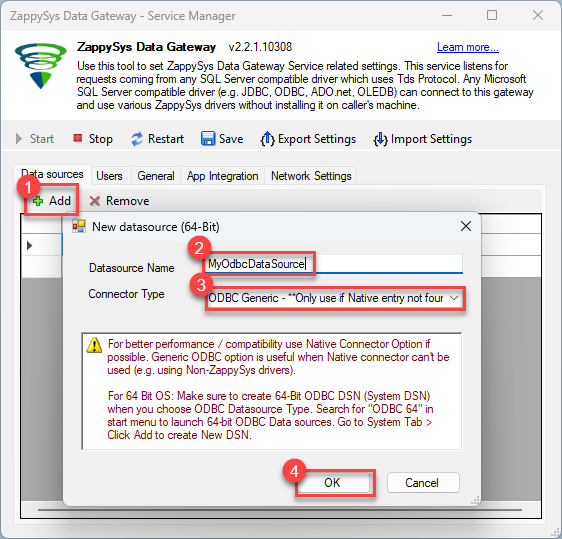
Open ZappySys Data Gateway and create a new data source.
Select:
Generic ODBC Connector
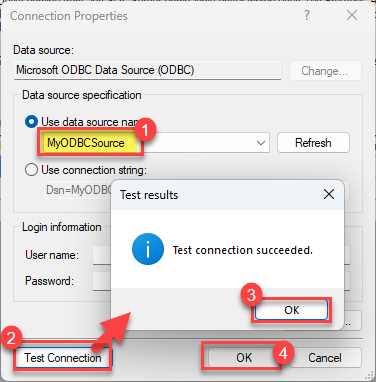
Configure the connection using your ODBC DSN.
Example:
DSN=MyODBCSource
Test the connection and save the data source.
Example Data Source Name:
MyOdbcDataSource
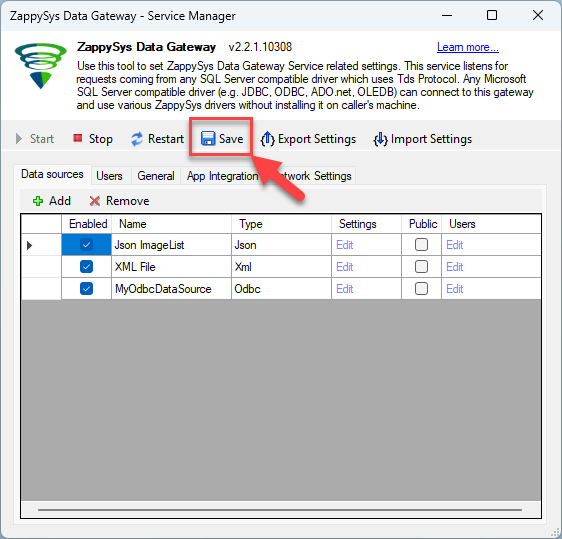
Save the data source in the gateway. That’s it—you’re now ready to use the ODBC DSN in Java.
Step 3: Connect from Java
Add the ZappySys JDBC Driver to your Java project.
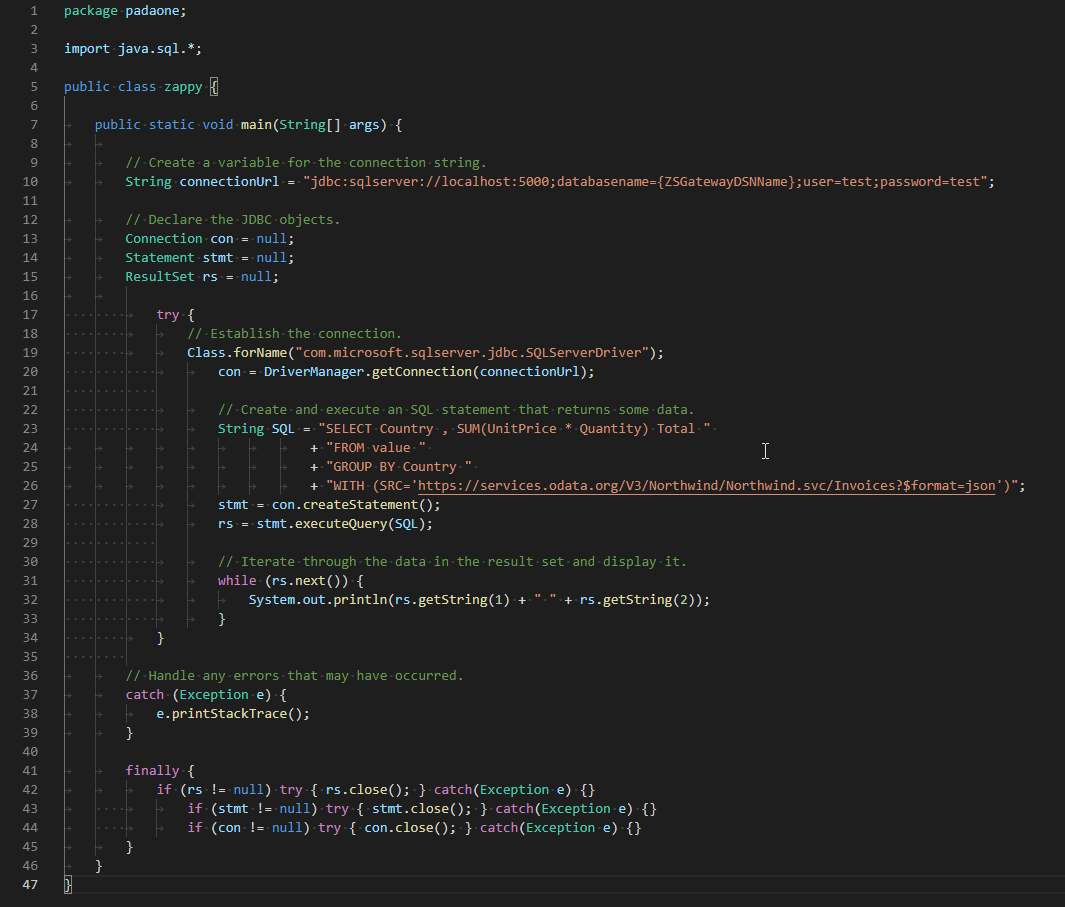
Create a JDBC connection using the Gateway connection string.
//Step-1: Install ZappySys ODBC PowerPack and Configure Data Gateway

//Step-2:Assuming the Microsoft SQL Server JDBC Driver is in below folder
//C:\Program Files\Microsoft Jdbc Driver 6.0 for SQL Server\sqljdbc_6.0\enu\auth\x64
package padaone;

import java.sql.*;

public class zappy {

    public static void main(String[] args) {

        // Create a variable for the connection string.
        String connectionUrl = "jdbc:sqlserver://localhost:5000;databasename=MyOdbcDataSource;user=zsgtwadmin;password=test";

        // Declare the JDBC objects.
        Connection con = null;
        Statement stmt = null;
        ResultSet rs = null;

            try {
                // Establish the connection.
                Class.forName("com.microsoft.sqlserver.jdbc.SQLServerDriver");
                con = DriverManager.getConnection(connectionUrl);

                // Create and execute an SQL statement that returns some data.
                String SQL = "SELECT * "
                           + "FROM Customers";
                stmt = con.createStatement();
                rs = stmt.executeQuery(SQL);

                // Iterate through the data in the result set and display it.
                while (rs.next()) {
                    System.out.println(rs.getString(1) + " " + rs.getString(2));
                }
            }

        // Handle any errors that may have occurred.
        catch (Exception e) {
            e.printStackTrace();
        }

        finally {
            if (rs != null) try { rs.close(); } catch (Exception e) {}
            if (stmt != null) try { stmt.close(); } catch (Exception e) {}
            if (con != null) try { con.close(); } catch (Exception e) {}
        }
    }
}
Query Data Using Standard SQL
Once connected, you can query the ODBC source using standard JDBC APIs.
Example:
SELECT *
FROM Customers
Benefits
Using ZappySys Data Gateway provides several advantages:
- Access any ODBC-compliant data source from Java
- No legacy JDBC-ODBC bridge required
- Standard JDBC programming model
- Centralized connection management
- Easy integration with Spring Boot, Hibernate, and other Java frameworks
- No native ODBC dependencies required on application servers
Frequently Asked Questions (FAQ)
How do I connect Java to an ODBC DSN?
To connect Java to an ODBC DSN, you need a bridge or gateway, as standard JDBC does not communicate directly with ODBC natively anymore. You can use the ZappySys Data Gateway to create a generic ODBC connector, which a Java application can then connect to the Gateway Connection.
Is there a JDBC-ODBC bridge in Java 8 and later?
No. Oracle officially removed the JDBC-ODBC bridge starting in Java 8. To access ODBC data sources in modern Java applications, developers must use a third-party solution or gateway, such as the ZappySys Data Gateway, to translate JDBC calls into ODBC commands.
Can ZappySys Data Gateway connect to any ODBC driver?
Yes. As long as you have the 32-bit or 64-bit ODBC driver installed on your Windows machine and configured in the Windows ODBC Data Source Administrator, the ZappySys Data Gateway can connect to it and expose it to your Java application.
Do I need to install the gateway on the same machine as my Java application?
No, it is not required. You can install the ZappySys Data Gateway on a central Windows server where your ODBC drivers reside. Your Java application can then connect to it remotely over the network using the Gateway Connection.
Conclusion
ZappySys Data Gateway makes it easy to access ODBC-based systems from Java. Simply configure your ODBC DSN, create a Generic ODBC Connector data source, and connect using the ZappySys JDBC Driver. This approach enables Java applications to work with virtually any ODBC-compliant system through a familiar JDBC interface.