Problem
When creating a new table in the Upsert Destination component, you may encounter the following message:
Failed to generate CREATE TABLE: Could not get destination column information because the mapping file was not specified.
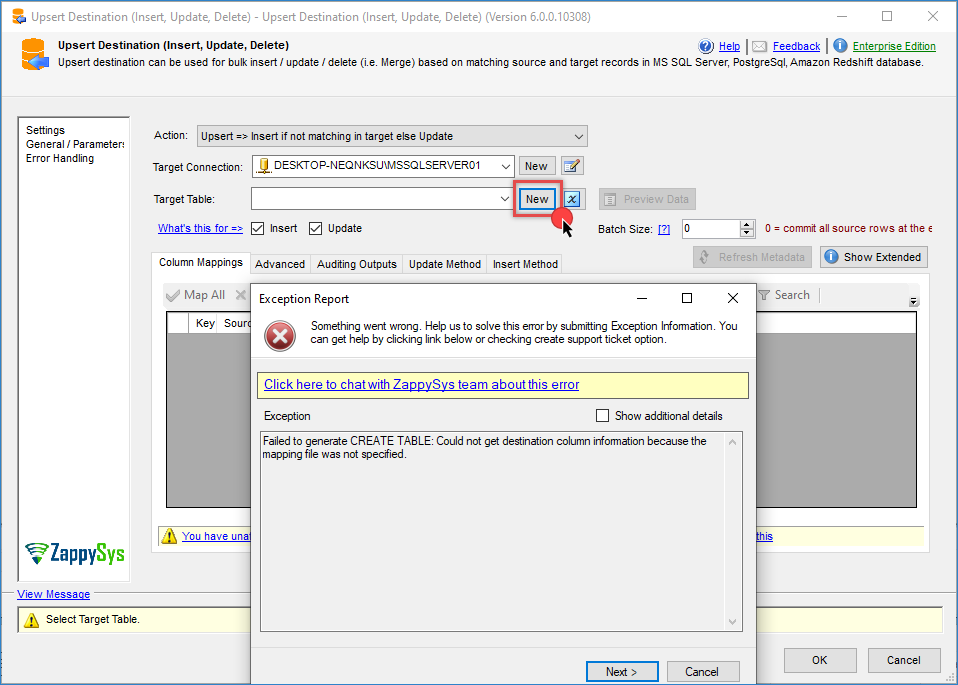
This error prevents the automatic generation of the destination table.
Cause
This issue commonly occurs in the following environment configuration:
- SQL Server 2022 is used together with Visual Studio 2026.
- The installed ZappySys SSIS PowerPack version is older than 6.0.0.10308.
In this scenario, the component may fail to retrieve the column metadata required to generate the CREATE TABLE statement.
Solution
To resolve this problem, follow these steps:
-
Install or update to the latest ZappySys SSIS PowerPack version 6.0.0.10308 or later. This version introduces support for SSIS 2025 / SQL Server 2025. See the release notes for more details.
-
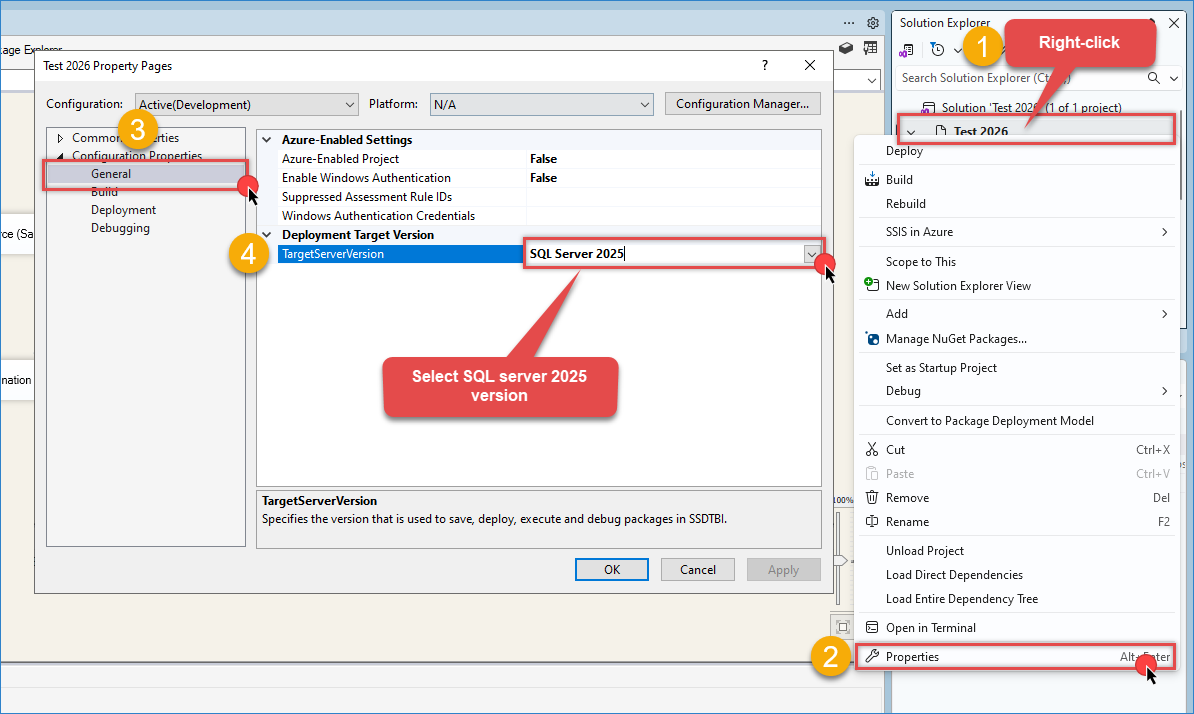
Change your Target Server Version to SQL Server 2025.
-
Restart Visual Studio after installing the update.
-
Reopen your SSIS project and try generating the destination table again using the Upsert Destination component.
-
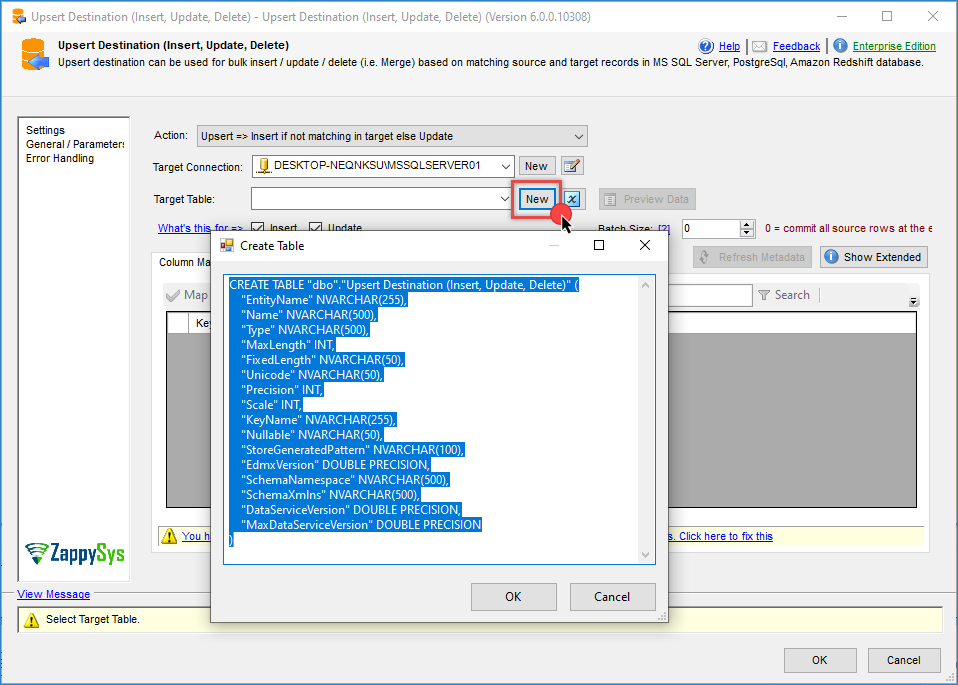
After applying these changes, the component should correctly detect the destination columns and generate the
CREATE TABLEstatement without errors.
Still need help?
If the issue persists, please get in touch with our support team:
- Live Chat: Open the chat widget (bottom right of this page)
- Email: support@zappysys.com
- Support Center: Support | ZappySys