Problem
When opening an SSIS package or project, you may encounter the following error messages:
The task with the name "{{ZappySys task}}" and the creation name "SSIS.ReplacementTask" is not registered for use on this computer.
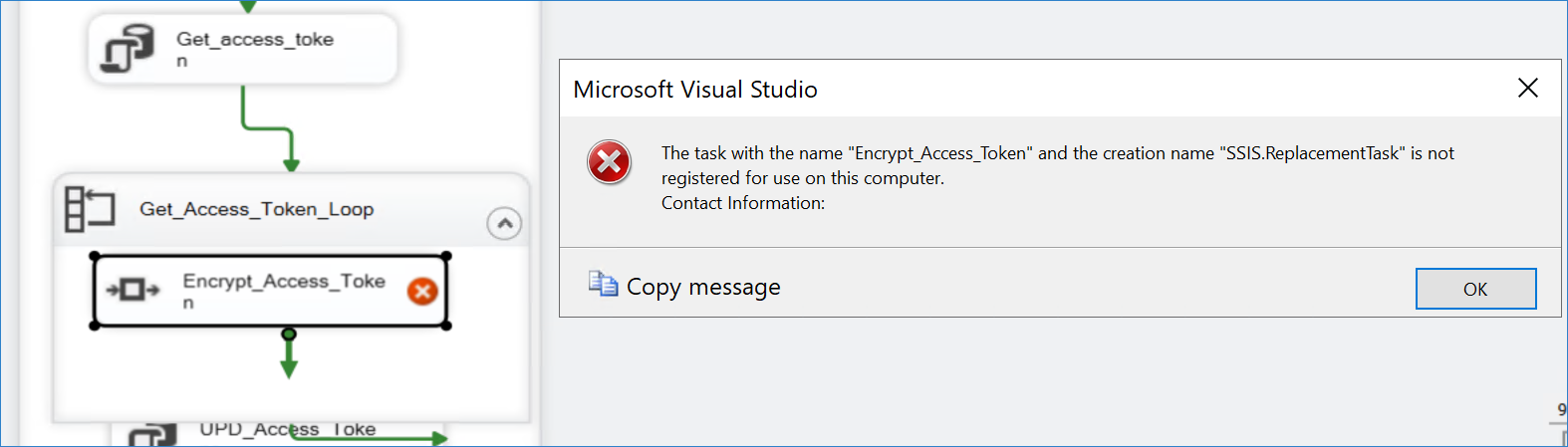
When executed via SQL Server Agent:
Failed to load task "{{ZappySys task}}", type "".

The contact information for this task is "{{ZappySys task}}; ZappySys LLC (c) All Rights Reserved; SSIS PowerPack; http://www.zappysys.com/support".
Cause
This issue typically occurs when the installed version of ZappySys SSIS PowerPack is missing, corrupted, or no longer matches the SQL Server Integration Services (SSIS) version used by the project.
A common scenario is:
- The project was originally developed using SQL Server 2016.
- The server or development environment was upgraded to SQL Server 2019.
- ZappySys SSIS PowerPack was not reinstalled after the upgrade.
In this situation, SSIS may be unable to locate the required component assemblies, causing the package to fail to load.
Solution
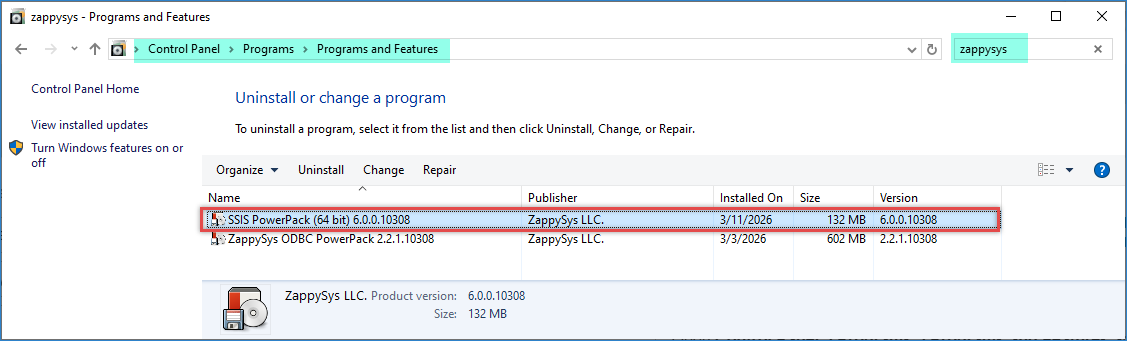
Verify that ZappySys SSIS PowerPack is installed
Open the Windows search bar, search for Add or remove programs, and confirm that ZappySys SSIS PowerPack is installed. Alternatively, you can navigate to Control Panel > Programs > Programs and Features to verify the installation.
Reinstall ZappySys SSIS PowerPack
Even if the product appears to be installed, we recommend reinstalling it.
- Download the latest installer for trial users or licensed users.
- Close Visual Studio and SQL Server Management Studio.
- Uninstall the existing ZappySys SSIS PowerPack installation.
- Run the installer as Administrator.
- Select the Typical installation option.
- Restart the machine after the installation is complete.
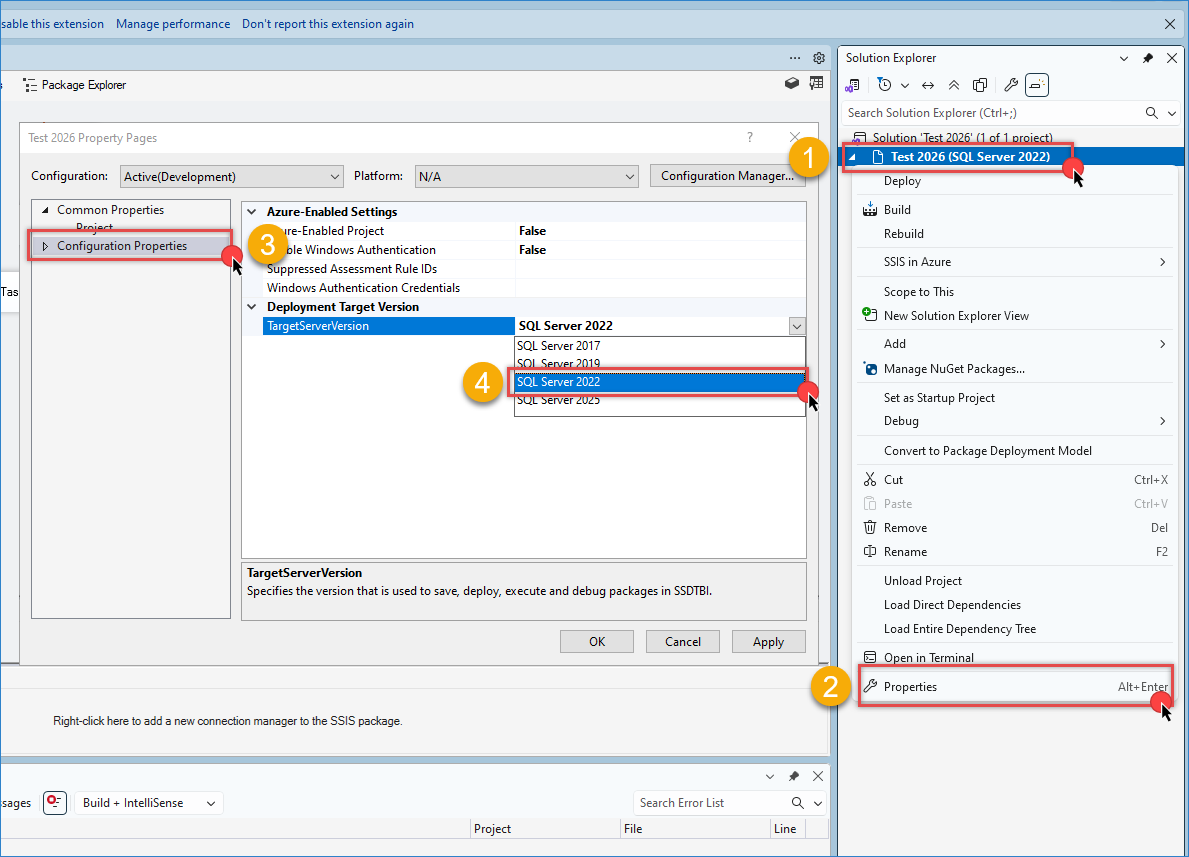
Verify the SSIS Project Target Version
Open your SSIS project and verify the Target Server Version.
- Right-click the SSIS project.
- Select Properties.
- Navigate to Configuration Properties > General.
- Verify or update the TargetServerVersion setting.
- Ensure that it matches your SQL Server environment.
Conclusion
The “Failed to load task” error typically occurs when ZappySys SSIS PowerPack components cannot be located or loaded by SSIS. This often happens after upgrading SQL Server (for example, from SQL Server 2016 to SQL Server 2019) without reinstalling the ZappySys components.
Reinstalling the latest version of ZappySys SSIS PowerPack usually resolves the issue and restores full functionality of the package.
Still need help?
If the issue persists, please get in touch with our support team:
- Live Chat: Open the chat widget (bottom-right corner of this page)
- Email: support@zappysys.com
- Support Center: Support | ZappySys